
Here’s a practical, in-depth review of AI AutoCreatr so you can decide whether it’s the right tool for building automated affiliate sites.
What AI AutoCreatr Does
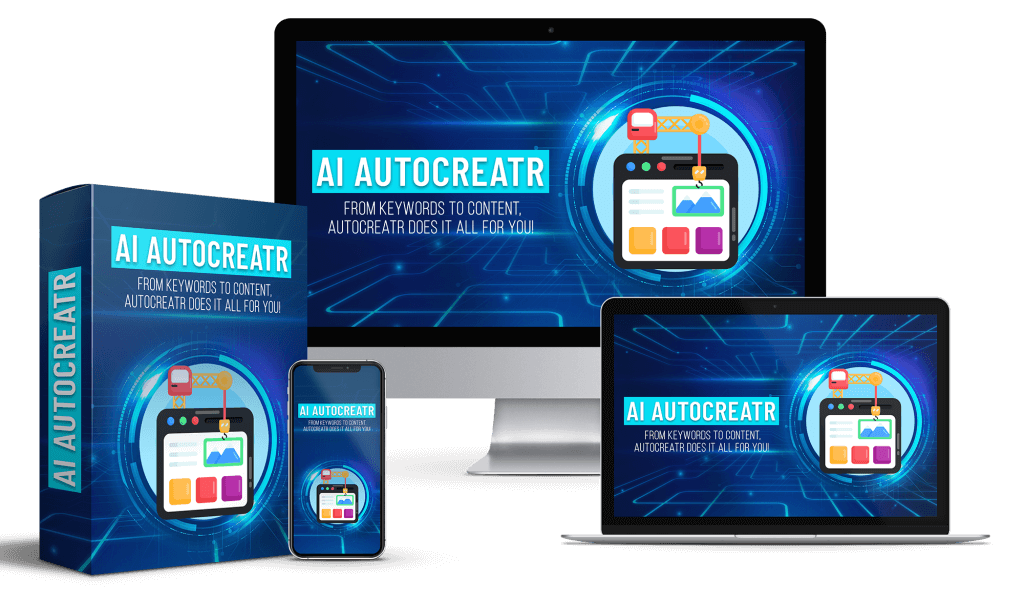
AI AutoCreatr is a WordPress plugin that builds fully automated, done‑for‑you affiliate websites in minutes using AI. You enter a topic, pick suggested low‑competition keywords, and with one click the plugin generates a complete affiliate site: pages, blog posts, product reviews, SEO‑friendly content, royalty‑free images, and automated affiliate ad placement. It uses a combination of custom‑trained GPT models and built‑in AI features to handle content creation, keyword research, image generation, and ad insertion — all without manual writing, image sourcing, or coding.
Key Features at a Glance
- 100% DFY content: Articles, product reviews, and pages are written by ChatGPT integration.
- Automated monetization: Insert your affiliate ad once and the plugin places it across posts.
- SEO‑focused: Custom GPT finds low‑competition keywords and produces search‑friendly content.
- AI‑generated images: Royalty‑free images are created and added to each article automatically.
- One‑click site build: Simple installation and one‑click generation of a full site.
- Customizable: Change site name, upload your logo, and use your existing WordPress theme.
- Scalable licensing: Standard license builds one site; upgrade for unlimited sites.
- Free updates and support during launch period.
How It Works (Step-by-Step)
Step 1 — Install the Plugin
You install AI AutoCreatr on a WordPress site like any other plugin. Requirements are minimal: a domain, hosting, and an OpenAI API account to enable ChatGPT content generation. During setup you’ll enter your OpenAI API key and configure basic options such as site name, logo, permalink structure, and any default affiliate ad you want the plugin to insert.
Tip: Use a staging site or subdomain for your first runs to test output and tweak settings without affecting a live site.
Step 2 — Enter a Topic and Select Keywords
You type a topic (for example, “portable projectors” or “best indoor grills”) and AI AutoCreatr offers a list of low‑competition, high‑potential keywords based on its custom GPT research. You can accept defaults or pick and choose keywords for the initial site launch.
Tip: Pick a mix of review-oriented keywords (e.g., “best X for Y”) and informational keywords (e.g., “how to use X”) to cover different search intents.
Step 3 — Click Post and Let the Plugin Build
With a single click, AI AutoCreatr writes all the content, generates images, formats posts, and inserts affiliate ads across the site. It creates a homepage, category pages, product reviews, comparison posts, and supporting articles designed to attract organic search traffic.
Tip: After generation, skim content for tone and accuracy, then do light edits to add personal experience or affiliate disclosures for credibility and compliance.
Detailed Feature Breakdown
| Feature | What it does | Why it matters |
|---|---|---|
| DFY Articles & Reviews | Generates full articles, product reviews, and pages via ChatGPT integration | Saves time and eliminates content writing bottlenecks |
| Keyword Research | Custom GPT suggests low‑competition keywords | Helps target queries where you can rank faster |
| Automated Ad Placement | You add one affiliate ad and it’s inserted site-wide | Scales monetization without manual editing |
| AI Image Generation | Produces royalty‑free images and inserts them in posts | Removes the need to source or license images |
| WordPress Compatibility | Works with any theme and standard hosting | No redesign needed; keeps your existing look |
| One‑Click Build | Creates a complete affiliate site in minutes | Accelerates site creation from idea to live |
| Customization Options | Site name, logo, post templates, ad placements | Lets you retain brand control and tweak presentation |
| Licensing Options | Single site standard; upgrade for unlimited sites | Matches needs from beginners to agencies |
| Support & Updates | Free updates and launch period support | Reduces friction during setup and initial use |
Installation and Setup (Practical Walkthrough)
- Prepare WordPress:
- Ensure your WordPress version and PHP meet plugin requirements.
- Install a lightweight caching plugin and image optimization plugin if you expect high traffic.
- Install AI AutoCreatr:
- Upload and activate the plugin from your WordPress dashboard.
- Enter the license key if provided and link your OpenAI API account.
- Basic configuration:
- Set the site name, upload your logo, and choose default post templates.
- Select permalink structure (recommended: /%postname%/).
- Add your affiliate ad code once (Amazon, ClickBank, or any HTML/JS ad snippet).
- Topic choice:
- Enter a clear topic phrase and review suggested keywords.
- Choose the ones you want the plugin to generate content for initially.
- Generate:
- Click “Post” (or equivalent) to start the one‑click build.
- Monitor the process and preview generated pages.
- Finalize:
- Review articles for factual accuracy and unique contributions.
- Add affiliate disclosures and any compliance info required by networks.
- Configure SEO plugin (Yoast/RankMath) if you use one and submit sitemap to Google Search Console.
Practical tip: Run tests for multiple topics on a staging environment to see the content style and adjust prompts and template settings before generating a full live site.
Content Quality and SEO Effectiveness
AI AutoCreatr aims to create SEO‑friendly content by combining custom keyword research with AI‑generated articles tailored for low‑competition keywords. In practice, you’ll find these strengths and limitations:
Strengths:
- Speed: You can produce dozens of publishable pages in hours rather than weeks.
- Structure: Posts come formatted with headings, lists, comparisons, and calls to action — elements that search engines and readers expect.
- Keyword targeting: Custom GPT suggests a set of keywords that are prone to lower competition, which is helpful for quicker ranking.
Limitations:
- Depth & nuance: Out‑of‑the‑box AI content can be generic or miss nuanced experiences. Adding personal user experience or niche expert insights will improve conversions and authority.
- Original research: AI can’t replace first‑hand testing or exclusive interviews. For high‑value niche sites, supplement AI content with unique data or reviews.
- EAT signals: Expertise, authoritativeness, and trustworthiness (EAT) matter. You should add author bios, affiliate disclosures, and trust signals (privacy policy, contact page) to boost credibility.
How to optimize generated content:
- Edit for accuracy and add first‑hand insights, user photos, or video where possible.
- Add structured data (product, review schema) via your SEO plugin to improve SERP appearance.
- Create internal links between generated posts to help search engines crawl and distribute link equity.
- Use a content calendar to update and expand top‑performing posts.
Monetization & Affiliate Integration
AI AutoCreatr simplifies monetization by allowing you to add a single affiliate ad or snippet once; the plugin then inserts it throughout posts according to the placement rules you choose. This eliminates manual insertion and ensures consistent monetization across the site.
Common use cases:
- Amazon/other marketplaces: Paste your affiliate link or ad code and let the plugin place it in review pages and CTAs.
- CPA offers: Use the plugin’s ad insertion for lead‑gen forms or promo banners.
- Network tracking: If required, include tracking parameters in the ad snippet so all inserted links carry your tracking IDs.
Compliance advice:
- Always display a clear affiliate disclosure on every page and in posts that contain affiliate links.
- Check network policies about affiliate placement and cloaking; do not misrepresent affiliate links.
- Consider using link management plugins (Pretty Links, ThirstyAffiliates) for reporting and link analytics if the plugin doesn’t provide detailed link tracking.
Images, Media, and Visuals
AI AutoCreatr generates royalty‑free images and attaches them to posts automatically. This removes time spent on licensing stock images and ensures every article has at least one relevant visual.
Strengths:
- Speed and cost: You won’t need to buy or edit stock photos.
- Consistency: Image style can be consistent across posts if the plugin supports style settings.
- Legal safety: Royalty‑free generation avoids licensing headaches.
Limitations and tips:
- Generic visuals: AI images may be illustrative rather than realistic product photos. For product reviews, you should still add accurate product images where required by affiliates (e.g., Amazon product images).
- Resize and optimization: Ensure the plugin optimizes images for web (compression, WebP) to maintain page speed.
- Custom images: If brand identity matters, upload your own hero images and use AI‑generated images as supplementary visuals.
Customization and Design
AI AutoCreatr is designed to work with any WordPress theme and respects your site’s styling. You can customize the site name, upload a logo, and tweak templates for post layouts.
What you can control:
- Site title, logo, and default tagline.
- Post templates: what sections appear in reviews, comparisons, or standard posts.
- Ad placement rules: in‑content, sidebar, before/after content, or custom shortcodes.
What to watch for:
- Theme compatibility: Some themes with aggressive styling or page builders may need minor CSS tweaks to make auto‑generated content look perfect.
- Page builder support: If you use Elementor, Beaver Builder, or similar, test a page generation to confirm layout compatibility.
- Mobile layout: Check that generated posts are mobile responsive and that ad placements don’t break the user experience on small screens.
Performance, Hosting, and Speed Considerations
AI AutoCreatr generates content and images, which can add to your database and media library size. Proper hosting and performance optimization ensure fast page loads and good user experience.
Hosting recommendations:
- Start with quality shared hosting for small sites, but plan to move to managed WordPress hosting if traffic grows.
- Use caching (server or plugin level) and a CDN to serve images and static assets.
- Implement image optimization and lazy loading to reduce initial load time.
Database and storage:
- Periodically clean up unused media and revise older posts to combine or remove low-performing pages.
- Back up your site before major generation runs, especially when creating many posts at once.
Pros and Cons
Pros
- Extremely fast site creation: go from idea to a functioning affiliate site in minutes.
- Removes content creation bottleneck: you don’t need to write articles.
- Automated ad insertion streamlines monetization.
- Built‑in keyword research targets low‑competition opportunities.
- Royalty‑free image generation removes stock photo expenses.
- Beginner friendly: minimal technical skills required.
- Compatible with any WordPress theme and standard hosting.
Cons
- AI content may require human editing to add authority and uniqueness.
- Generated images are illustrative, not always accurate product photos.
- Reliance on OpenAI API: costs and API limits may affect usage.
- Single‑site standard license may be limiting for agencies unless you upgrade.
- SEO success still requires off‑site work (link building, social promotion) for competitive niches.
Pricing, License & Guarantee
- Special launch one‑time price: $47 (includes free updates and unlimited support during launch).
- Standard license builds one site; optional upgrade unlocks unlimited sites for agencies or resellers.
- 30‑day money‑back guarantee: if you can’t get your first site set up and support can’t resolve the issue, you’ll receive a full refund.
Pricing considerations:
- Factor in your OpenAI API costs: content generation is powered by ChatGPT via your API key.
- Consider hosting and domain fees as ongoing costs.
- If you plan to scale and run multiple niche sites, compare the cost of the unlimited license versus the time savings and revenue potential.
Who Should Use AI AutoCreatr
You should consider AI AutoCreatr if you fit any of the following profiles:
- You want to rapidly launch niche affiliate sites without writing content yourself.
- You’re a beginner with limited WordPress or coding experience.
- You’re a small agency or freelancer looking to prototype affiliate sites quickly (upgrade license recommended).
- You want automated image generation and ad insertion to minimize manual tasks.
- You need a cheap, fast way to test multiple niche ideas before doubling down.
Who might avoid it:
- You run a high‑authority brand that needs original investigative content and detailed hands‑on reviews.
- You require exact product photos or manufacturer images for compliance.
- You prefer full control over every line of content and visual asset from the start.
Alternatives and How AI AutoCreatr Compares
There are other approaches to building affiliate sites: manual content creation, hiring writers, using content mills, or other AI tools. Compared to manual methods, AI AutoCreatr is far faster and cheaper. Compared to other AI solutions, its one‑click site generation, built‑in keyword research, automated ad placement, and image generation make it a more complete package for affiliate site assembly.
When comparing, evaluate:
- End‑to‑end automation: Does the tool handle keyword research, content, images, and monetization?
- Cost model: Subscription vs one‑time fee plus API costs.
- Licensing: Single‑site vs unlimited sites for scaling.
- Degree of control: How much can you customize templates and tone?
Tips to Get the Most Out of AI AutoCreatr
- Use a staging site for your first builds to tweak templates and prompts.
- Add personal insights or testing notes to reviews to improve conversions.
- Optimize generated posts with schema markup and internal linking.
- Set up automated backups before mass generation runs.
- Monitor OpenAI API usage and costs to avoid surprises.
- Combine AI content with a manual content plan for cornerstone pages.
- Run A/B tests on ad placements to maximize affiliate clicks and conversions.
- Keep a content calendar and update top pages periodically to maintain rankings.
Common Questions (FAQ)
Q: Do you need an OpenAI account? A: Yes. You must provide an OpenAI API key to enable ChatGPT content generation. AI AutoCreatr integrates with your API to produce articles.
Q: Can you use your own images? A: Yes. You can upload your own images and the plugin will still generate supplementary AI images if desired. For product images required by affiliate networks, upload manufacturer photos or approved images.
Q: Is the content unique? A: Content is generated by custom GPTs and should be unique, but you should still review content for uniqueness and accuracy. Adding personal edits improves uniqueness and EAT.
Q: How does the affiliate insertion work? A: You add an affiliate ad snippet once; the plugin automatically inserts it across posts according to configured rules. It does not require third‑party ad APIs.
Q: Will it affect my site speed? A: Generated content and images increase site size. Use caching, image optimization, and a CDN to keep load times low.
Q: Can you scale with a standard license? A: Standard license builds one site. If you want to create multiple sites, upgrade to the unlimited license.
Realistic Expectations and Use Cases
You should expect quick site builds and workable content that can be refined into high‑converting pages with a bit of human touch. For low‑competition niches and “money” keywords with low barrier to entry, AI AutoCreatr can be a game changer. For highly competitive niches that require authority, original testing, or unique visual assets, AI AutoCreatr is best treated as a time‑saving assistant rather than a complete replacement for manual work.
Use case examples:
- Testing micro‑niche ideas: Launch several small sites quickly to find winners.
- Affiliate funnels for seasonal products: Build quick turnkey landing and review pages.
- Client prototypes: Create demo affiliate sites for clients to show potential revenue streams.
Final Verdict
If you want to create affiliate sites fast and minimize manual content creation, AI AutoCreatr offers a powerful, user‑friendly solution. It combines keyword research, content generation, image creation, and automated monetization into a single, one‑click workflow. The product is strongest for beginners, hobbyists, and agencies that need fast prototyping or wish to scale simple affiliate sites quickly. For long‑term authority sites, treat AI AutoCreatr as the foundation — generate and structure content with it, but plan to add human insight, unique testing, and ongoing SEO work to achieve durable rankings and solid affiliate revenue.
If you plan your workflow around reviewing and enhancing AI output, using proper hosting and monitoring OpenAI costs, AI AutoCreatr can significantly reduce time‑to‑market and lower the barrier to entry for building affiliate income streams.