
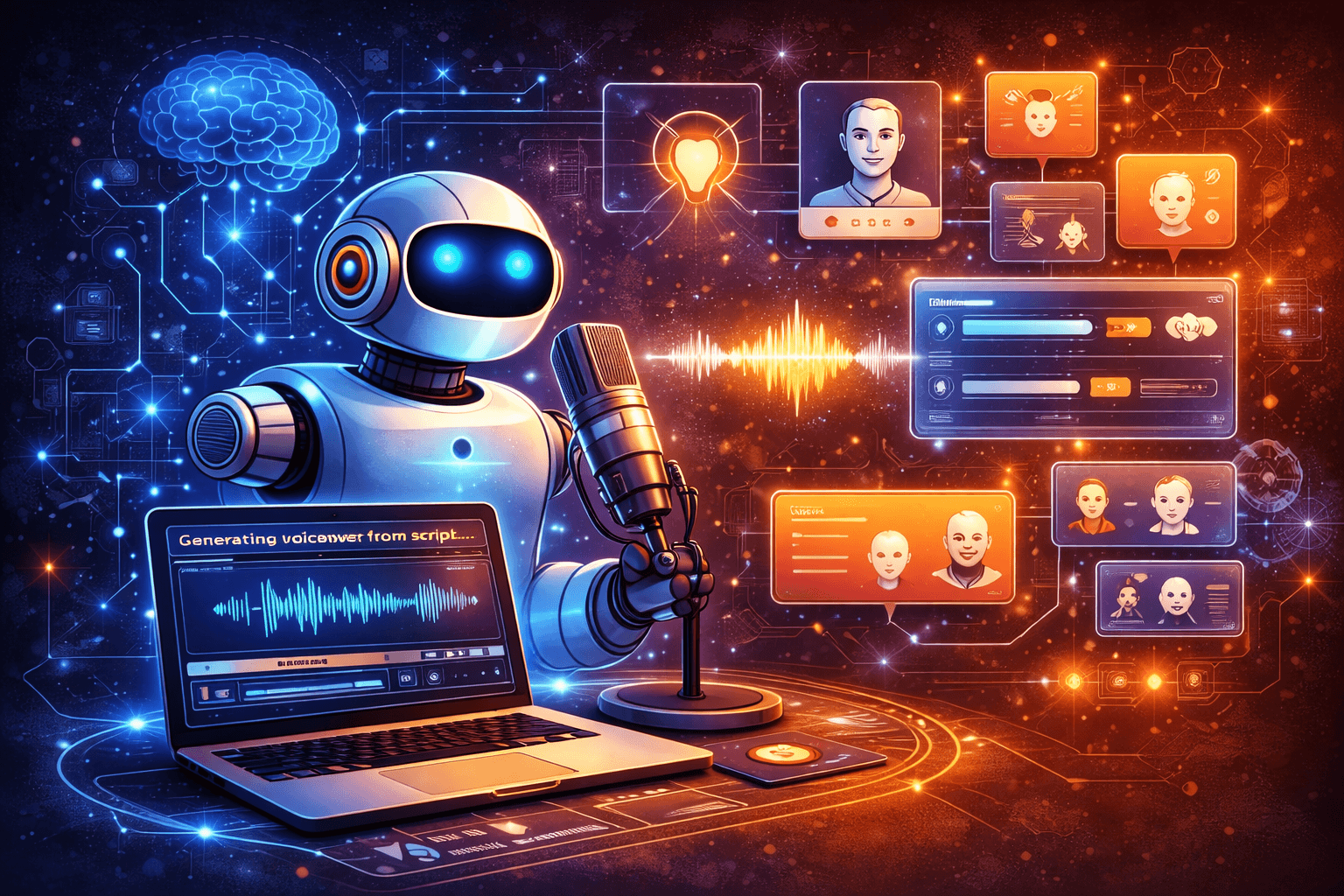
Have you ever wished you could create a professional-sounding voiceover without hiring a voice actor or spending hours in a recording booth?
AI Voice Generators Explained for Creators
AI voice generators are transforming how you produce audio content by converting text into speech or cloning voices using machine learning. You’ll find that these tools can save time, reduce costs, and open creative possibilities across podcasts, videos, games, accessibility, and more. This article explains how they work, how to choose and use them responsibly, and practical tips to integrate them into your workflow.

What is an AI voice generator?
AI voice generators use machine learning models—typically neural networks—to synthesize human-like speech from text or audio samples. You can either generate speech from written content (text-to-speech, TTS) or create a synthetic version of a specific person’s voice (voice cloning). These systems model prosody, intonation, and pronunciation to produce natural-sounding output.
You’ll encounter both cloud-based services and on-device solutions, each with trade-offs in quality, latency, and privacy. Understanding the fundamentals helps you pick the right tool for your creative needs.
Core components of an AI voice system
The main parts of a modern voice generator include a text analyzer, a prosody/pacing model, and a vocoder that converts intermediate representations into audible waveform. Some systems also include a voice encoder when cloning a speaker.
Knowing these components helps you tweak inputs and settings for better results. For example, improving punctuation and using SSML can give the prosody model clearer cues.
How AI voice generators work
At a high level, you type or paste text, choose a voice or upload a sample, and the system outputs audio. Under the hood, models have learned patterns from large datasets of recorded speech paired with transcriptions.
You’ll see different architectures—concatenative TTS used older recorded chunks, while modern neural TTS uses sequence-to-sequence models and generative vocoders for far smoother and more expressive audio.
Text-to-speech (TTS) vs voice cloning
Text-to-speech converts typed words directly into spoken audio using pre-built voices. Voice cloning produces a voice model that mimics a particular speaker’s timbre and style, usually requiring a sample set and sometimes a short fine-tuning period.
When you need a consistent brand voice, a custom TTS voice might be ideal. If you want to reproduce a specific narrator (with consent), cloning is the route to take.
Neural models and prosody
Modern TTS systems model prosody: rhythm, stress, and intonation. This is why AI voices today sound far more natural than earlier robotic-sounding TTS. You’ll still need to guide prosody with punctuation, SSML tags, and occasional manual annotations for best results.
Types of AI voice generators
There are several categories that matter when you choose a tool:
- Pre-built voices: Ready-to-use speakers with different accents and styles.
- Custom voices: Brand or project-specific voices created through a training process.
- Voice cloning: Replicas of a real person’s voice from provided samples.
- On-device TTS: Local generation for privacy and low-latency use.
- Cloud TTS: Scalable, often higher-quality options accessible via API.
Each type has use cases and constraints; understanding them helps you design workflows that match your priorities in cost, quality, and legal compliance.
Pre-built voices
Pre-built voices let you quickly generate speech without training. They’re often optimized for clarity and multilingual support, making them a good starting point for most creators.
Custom voices
If you want brand consistency or a unique character, custom voices let you produce a distinct sound. Expect to provide recorded samples and to accept usage terms from providers.
Voice cloning
Voice cloning can recreate a specific person’s voice, sometimes from just a few minutes of audio. You must handle consent, licensing, and ethical concerns carefully when using cloned voices.
Common use cases for creators
You’ll find AI voices useful across many creative contexts. Here are the most common ones and why you might choose this technology.
Podcasts and narration
You can use AI voices for episode intros, automated host segments, or full narration. This saves time for solo creators and can reduce recording inconsistencies.
- Quick updates: Generate short segments on the fly.
- Multilingual episodes: Produce translated versions without finding native speakers for each language.
Video content and YouTube
You can create voiceovers for tutorials, explainer videos, or b-roll narration. AI voices are great when you need consistent delivery across a series or when on-camera narration isn’t possible.
Games and interactive media
AI voices can power non-player characters (NPCs), dynamic dialogue, or procedurally generated speech. They allow you to scale vocal content without casting dozens of actors.
Audiobooks and long-form narration
For fiction and nonfiction creators, TTS can accelerate production of audiobooks and allow cost-effective experimentation with multiple narrators.
Accessibility and assistive tech
You can provide audio versions of written content, enhance screen readers, or build personalized assistive solutions with voices that feel natural and less tiring to listen to.
Localization and dubbing
AI voice tools let you produce localized voiceovers quickly, supporting multilingual content distribution without lengthy traditional casting and recording.
Choosing the right tool: criteria that matter
When evaluating platforms, consider quality, flexibility, pricing, legal terms, and integrations. You’ll want a combination of natural sound, customizable controls, and clear licensing.
Use the table below to compare general features you should weigh.

| Criterion | Why it matters to you |
|---|---|
| Naturalness / expressiveness | Affects listener engagement and credibility |
| Customization | Ability to adjust pitch, speed, breaths, emotions |
| Languages and accents | Important for global audiences and localization |
| Licensing and rights | Determines how you can monetize outputs |
| Privacy and data retention | Critical for sensitive content or on-device needs |
| Latency / scalability | Important for real-time apps and batch production |
| API and integration | Streamlines production and automation |
| Cost model | Per-character, per-minute, subscription, or licensing fees |
Naturalness and expressiveness
Listen to demos and test with your scripts. Naturalness often comes down to prosody and small breathing/pausing cues. If your content is performance-heavy, prioritize a provider with advanced expressive controls.
Licensing and rights
Read the terms carefully. Some providers grant commercial rights to generated audio, while others impose restrictions on voice cloning or require specific disclosures. If you plan to sell content or include voices in monetized media, confirm rights up front.
Legal and ethical considerations
You’re responsible for using AI voices ethically and legally. This includes consent, copyright, impersonation laws, and platform-specific rules. Treat voice cloning with the same seriousness you would any potentially sensitive technology.
Consent and voice ownership
Never clone or monetize someone’s voice without informed consent. For public figures, laws and platform policies may still restrict certain uses. If you plan to use a collaborator’s voice long-term, get a written agreement outlining rights and compensation.
Copyright and licensing
A synthetic voice model trained on copyrighted speech may create gray areas. Confirm that your provider’s dataset and training processes comply with applicable laws and that you receive sufficient rights for your intended use.
Disclosure and transparency
When content could be mistaken for a real person or mislead listeners, include clear disclosure that AI-generated voices are being used. This is also a common requirement on many platforms and in certain jurisdictions.
Harmful uses and deepfakes
Avoid using AI voices for scams, misinformation, defamation, or any purpose that could harm people. Think through potential misuse scenarios and implement safeguards, like identity verification and usage controls.
Workflow: How to create high-quality AI voice content
A predictable workflow helps you produce consistent results. Below is a step-by-step process you can adapt to your projects.
- Define your goal: narration, character voice, or accessibility.
- Choose a provider and test sample voices with your script.
- If cloning, obtain consent and submit required audio samples per provider guidelines.
- Prepare the script using punctuation, phonetic spellings, and SSML for cues.
- Generate multiple takes and compare variations with different prosody or speed settings.
- Post-process audio: normalization, EQ, compression, breaths, and noise reduction.
- Run legal checks: make sure usage rights, credits, and disclosures are in place.
- Integrate into your final media (video editor, podcast DAW, game engine).
Tips for preparing scripts
Your script affects prosody heavily. Use punctuation to indicate pauses, parentheses for asides, and all-caps or phonetic spellings for vocal emphasis. SSML tags (Speech Synthesis Markup Language) let you control pauses, emphasis, and phonemes precisely.
Editing and post-processing
Treat synthetic output like any recorded audio: remove artifacts, add human breaths where needed, and normalize levels. Light compression and gentle EQ often make AI voices sit better in a mix.
Technical details you should know
Understanding a few technical terms helps you get better results and troubleshoot issues.
Common terms
- Phoneme: A unit of sound; some systems allow phonetic input.
- Prosody: Rhythm, stress, and intonation of speech.
- Vocoder: Converts spectral representations into audio waveforms.
- SSML: XML-based markup to control speech features.
- Latency: Time from text submission to audio output.
SSML basics
SSML is supported by many platforms and enables you to tweak pauses, rate, pitch, and pronunciation. Use it to indicate sentence breaks, align timing with visuals, and add expression.
Example SSML use cases:
- Inserting precise pauses for comedic timing.
- Adjusting pitch for character differentiation.
- Specifying phonetic pronunciations for unusual names.
Comparing popular tools and platforms
The landscape changes quickly, but you’ll commonly encounter a mix of cloud providers and specialty startups. Evaluate them based on the criteria in the earlier table.
Use the table below for a high-level comparison of types of providers and what they’re typically best for:
| Provider type | Typical strengths | Typical weaknesses |
|---|---|---|
| Big Cloud (Google, Amazon, Microsoft) | Scale, reliability, multilingual support, enterprise features | Pricing complexity, less characterful voices in some cases |
| Specialist startups (ElevenLabs, Replica, Respeecher) | Very natural voices, expressive controls, cloning features | May be more expensive; evolving legal frameworks |
| DAW/creator tools (Descript, Play.ht) | Integrated editing, simple workflows, creative features | May have limits on scale or advanced API access |
| On-device libraries (open-source TTS) | Privacy, offline capability, low latency | Requires more setup; quality varies |
Note: Specific feature sets and pricing change frequently. Always test the latest demos and read current docs.
Licensing and pricing models
Different providers use different pricing schemes. You’ll typically see per-character, per-minute, subscription tiers, or enterprise licensing for custom voices. If you need exclusive rights to a custom voice, expect a higher upfront fee.
Common licensing types
| License type | What it means for you |
|---|---|
| Royalty-free output | You can monetize generated audio without recurring fees |
| Pay-per-use | Charges based on characters or minutes generated |
| Subscription | Fixed fee for a set volume or unlimited use within plan limits |
| Exclusive voice license | You own or have exclusive rights to a custom voice model |
| Non-commercial | Restricts use to non-monetized projects |
Make sure the license covers distribution channels you use (streaming, broadcast, games, ads).
Ethical best practices
As a creator, adopt policies that protect rights and reduce harm. Consider the following best practices:
- Obtain explicit consent for voice cloning and document it.
- Keep logs and metadata to validate usage permissions.
- Clearly disclose synthetic voice use when appropriate.
- Use voice cloning only where it is legal and ethical.
- Implement access controls for high-risk voice models.
These steps reduce legal exposure and build trust with your audience.
Best practices for quality and realism
You can raise perceived quality significantly with small touches. Here are practical tips.
- Use varied sentence lengths to avoid monotony.
- Add natural breaths or slight hesitations for conversational styles.
- Match pacing to visual timing or scene energy.
- Use multiple voices for multi-character content and pan them slightly in the stereo field to separate characters.
- Test audio on different playback devices (earbuds, laptop, phone, TV).
Small post-production elements like reverb, de-essing, and a realistic breath layer can shift a synthetic voice from “robotic” to “compelling.”
Troubleshooting common problems
You’ll run into pronunciation, timing, and emotional mismatches. Here’s how to handle them.
- Mispronounced names: Provide phonetic spelling or SSML phoneme tags.
- Stilted pacing: Add commas and punctuation or SSML break tags to guide pauses.
- Flat emotion: Choose a voice with more expressive controls or adjust pitch and emphasis.
- Volume inconsistencies: Normalize output and apply compression in your DAW.
- Background noise (cloned samples): Use clean samples for cloning; noisy inputs reduce quality.
If a platform’s demo sounds off, test with your own content; performance can differ by script and language.
Examples: How creators are using AI voices
- A solo YouTuber generates multiple-language versions of tutorials, adapting prosody for cultural norms.
- An indie game studio uses AI voices for hundreds of procedural NPC lines, saving weeks of recording time.
- A podcaster uses a cloned voice for scripted ad reads while recording conversational segments with human hosts.
- An accessibility-focused nonprofit provides audio versions of documents using on-device TTS for privacy.
These examples show practical outcomes when you combine creativity with technical constraints.
Security and privacy considerations
When you upload voice data, know how providers store and use it. Look for:
- Data deletion policies
- Options to keep models private
- Enterprise plans with stricter controls
- On-premises or on-device alternatives for sensitive projects
If you’re working with vulnerable populations, use local TTS or ensure the provider has robust data handling safeguards.
Future trends to watch
The field is moving fast. Expect these developments to affect your creative work:
- More expressive, context-aware voices that adapt tone based on content.
- Real-time voice generation with lower latency for live applications.
- Easier and more regulated voice cloning workflows with built-in consent verification.
- Wider adoption of multimodal models that integrate text, voice, and visual cues for synchronized outputs.
Staying informed lets you adopt new capabilities responsibly and creatively.
Case study: Creating a branded voice for a content series (example workflow)
You can follow this hypothetical workflow to create a brand voice:
- Define voice persona: age, gender, tone, language, and emotional range.
- Collect recording samples or contract a voice actor for seed recordings.
- Choose a provider that supports custom voice training and rights transfer.
- Train or commission the voice model, then test with representative scripts.
- Refine through iterative samples and SSML adjustments.
- Integrate into your CMS or editing pipeline for series production.
- Monitor listener feedback and update the model over time if needed.
This approach helps you retain a consistent identity across episodes and products.
Frequently asked questions (FAQ)
You’ll likely have questions as you evaluate voice tools. Here are answers to common ones.
Q: Do AI voices sound human? A: Modern neural TTS can sound highly natural, especially for narration. You may still need to tune prosody for emotional or theatrical performances.
Q: How long does voice cloning take? A: It varies by provider. Some offer quick cloning from minutes of audio, while higher-fidelity models may require more samples and time.
Q: Can I monetize content made with AI voices? A: Often yes, but check the provider’s licensing terms and any restrictions for cloned voices.
Q: How can I make an AI voice sound less robotic? A: Use SSML for control, add breaths, vary sentence length, and perform light post-processing.
Q: Are there free options? A: Some providers offer limited free tiers. Open-source TTS is available but may require technical setup and may not match commercial quality.
Checklist before publishing AI-generated audio
- Confirm you have commercial rights for the voice model.
- Obtain written consent for any cloned voice.
- Review and edit pronunciations and timing.
- Normalize and process audio for consistent volume.
- Add disclosures when necessary and required.
- Verify platform-specific rules (podcast hosts, streaming services, ads).
Following this checklist reduces legal and production risks.
Practical next steps for creators
If you’re ready to start experimenting, try these actions:
- Pick a short script you use often (intro, ad read, or tutorial voiceover).
- Test several providers with that script to compare naturalness and controls.
- Experiment with SSML and post-processing to see what improves realism.
- Create a small project (one episode or video) to evaluate workflow efficiency and listener feedback.
- Document licensing and consent for future reference.
Testing small gives you insight without heavy investment.
Final thoughts
AI voice generators give you powerful ways to scale audio production and unlock creative workflows. You’ll achieve the best results by combining a thoughtful selection of tools, careful legal and ethical practices, and practical audio engineering. As the technology improves, you’ll find more opportunities to deliver compelling spoken content while maintaining trust with your audience.
If you want, provide a sample script or tell me your project type and constraints, and I’ll suggest tool choices and a step-by-step plan tailored to your needs.