
Quick verdict: AiPromptAgent helps you turn scattered prompts into a single source of truth so your team can produce consistent, measurable results with large language models.

What AiPromptAgent is and why it matters
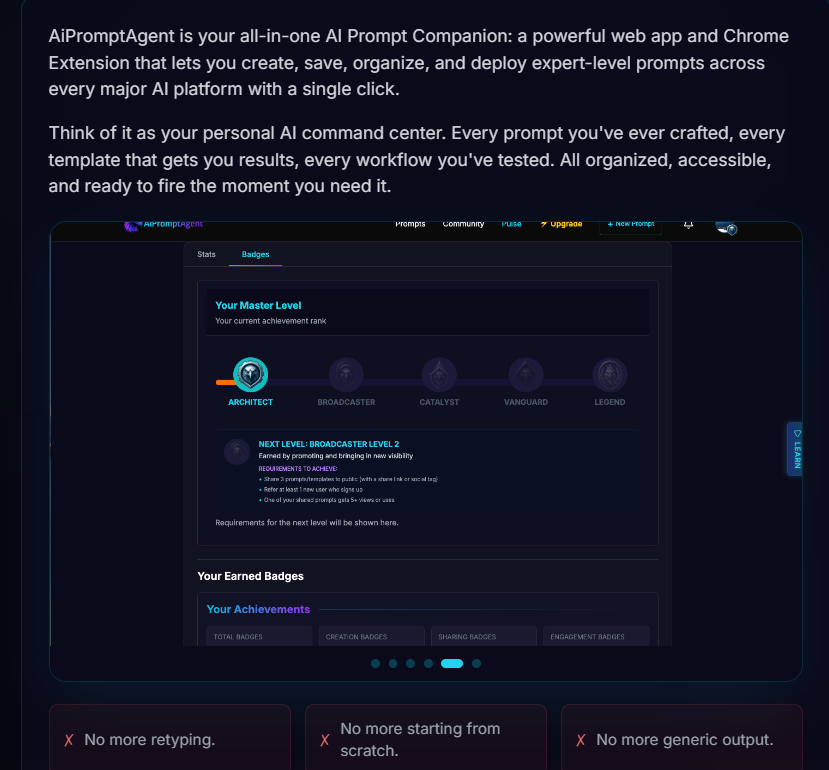
AiPromptAgent – AI Prompt Management Tool is a centralized prompt management solution that gives you a structured way to create, store, test, and deploy prompts and prompt snippets. If you build or ship features that rely on LLMs, you likely know how quickly prompt chaos can create inconsistent behavior, hidden costs, and slow iteration cycles. AiPromptAgent targets those pain points by enforcing organization, enabling repeatable testing, and providing visibility into usage and quality.
You get a place to keep canonical prompts, version history, testing results, experiment tracking, and deployment connectors. The result is reduced variance across products, faster experimentation, and a clearer audit trail for governance or compliance.

Core capabilities (what it does)

Organize prompts and snippets
AiPromptAgent gives you tagged libraries, folders, and version history. You can store full prompts, modular snippets, or template fragments, and tag them by use case, model, intent, product, or team. Versioning means you can roll back to a prior prompt when a change breaks behavior, and you can trace who made edits and why.
What this buys you:
- Fewer duplicated efforts across teams.
- Easier onboarding: new contributors can find recommended prompts quickly.
- Safer iteration: you won’t lose working prompts when experimenting.
Create, edit, and iterate with templates and best practices
Built-in templates and guided best practices help you structure prompts for clarity, instruction hierarchy, and robust behavior. The editor often includes snippet insertion, parameterization, and comment annotations so you can standardize how prompts are authored and documented.
You’ll appreciate:
- Reduced guesswork about prompt structure and tone.
- Consistency when multiple people contribute to the same prompt.
- Faster prototyping thanks to reusable templates.
Test across models and configurations
One of AiPromptAgent’s strongest features is its testing environment: run the same prompt across multiple models, adjust temperature and other settings, and compare outputs side-by-side. You can run A/B experiments to see which prompt variants produce the best outcomes for accuracy, safety, or any custom metric you track.
This matters because:
- Model drift or API changes are easier to detect.
- You can tune prompts to get consistent outputs across vendors.
- You avoid surprises when you deploy a prompt to production.
Track usage, cost estimates, and quality metrics
The platform tracks invocation counts, token usage, and provides cost estimates based on configured pricing models. It also supports quality metrics—either built-in or via integration with your evaluation tooling—so you can see how changes impact output quality over time.
You’ll be able to:
- Forecast costs based on real usage patterns.
- Identify expensive prompts and optimize them.
- Correlate prompt changes with quality improvements or regressions.
Collaborate securely
Shared workspaces, role-based access control, commenting, and change logs make it easy for teams to collaborate while preserving governance. You can control who edits production prompts versus who can only propose changes, and maintain an audit trail for compliance.
This helps you:
- Maintain separation of duties between authors and approvers.
- Keep stakeholders informed of prompt changes and experiments.
- Keep an accurate audit history for internal reviews.
Export, import, and deploy
AiPromptAgent supports export/import and direct deployment via API or SDKs so you can push proven prompts into your runtime environment with minimal friction. That ensures the same prompt that passed tests runs in production.
Practical benefits:
- Direct integration into CI/CD or runtime services.
- Reduced friction between experimentation and production.
- Ability to manage multiple environments (dev/staging/prod) with clear promotion flows.
Feature breakdown table
| Feature | What it does for you | Why it matters | Typical user |
|---|---|---|---|
| Libraries, tags, folders | Organize prompts and snippets for reusability | Reduces duplication and accelerates onboarding | Prompt engineers, product teams |
| Version history & change logs | Track edits, roll back, and audit changes | Improves safety and traceability | Compliance teams, managers |
| Templates & guided best practices | Standardize prompt authoring | Ensures higher quality and consistency | New prompt authors |
| Multi‑model testing & A/B comparison | Run prompts across models and variants | Makes selection evidence-based | ML engineers, researchers |
| Usage & cost tracking | Estimate costs, monitor token usage | Optimizes budget and prevents surprises | Finance and ops |
| Quality metrics & experiment tracking | Measure impact of prompt changes | Enables data-driven improvements | Product managers |
| Role-based access & comments | Controlled collaboration and reviews | Maintains governance while enabling teamwork | Enterprises |
| Export / API deployment | Push prompts into runtime or apps | Reduces deployment friction | Developers, SREs |
Strengths: what you’ll likely love
Centralized control and discoverability
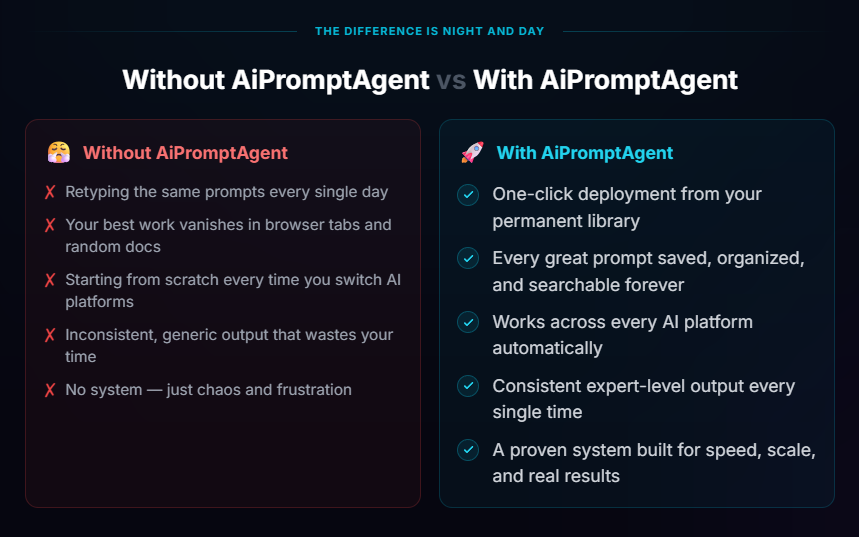
When you have many teams using LLMs, scattered prompts become a maintenance nightmare. AiPromptAgent centralizes those assets so you can search, tag, and reuse them. That translates into efficiency gains and lower long-term maintenance costs.
You’ll notice quicker onboarding for new teammates because they can search a library of vetted prompts rather than asking around or reverse-engineering behavior.
Repeatable testing workflows
The ability to run A/B tests and compare outputs across models is a major practical advantage. You can formalize an experiment: define prompts, configurations, success metrics, and then run experiments to gather evidence. That removes much of the guesswork from prompt tuning.
You get repeatability: once a winning variant is identified, you can promote it to production with confidence.
Improved cost visibility
Without tracking, LLM usage can be a surprise line item. AiPromptAgent’s usage and cost estimates let you see where tokens are consumed and which prompts drive up costs. With those insights, you can optimize prompts (shorter examples, fewer tokens) or route calls to cheaper models where appropriate.
Collaboration and governance
Role-based access, change logs, and comments let you keep control as teams iterate. You can separate authorship and approval, ensuring production prompts are reviewed before deployment. The auditability also supports compliance requirements.
Deployment integration
Export and API deployment reduce the friction between testing and production. You won’t need to rely on manual copy-paste or fragile configuration files; you can programmatically manage which prompts run in which environment.
Weaknesses and limitations you should consider
Learning curve for process adoption
Centralizing prompts requires discipline. If your team is used to ad hoc prompting, you’ll need to establish workflows for who owns prompts, how experiments are run, and how results are judged. The tool supports this, but you’ll need to build the organizational muscle.
Practical impact: initial onboarding and governance setup takes time and may require training.
Potential for configuration sprawl
With many models, variants, and experiment branches, it’s possible to accumulate a lot of configurations. Without periodic cleanup or lifecycle policies, you’ll end up with cluttered libraries and hard-to-find canonical prompts.
You should adopt lifecycle policies: tag deprecated prompts, archive old experiments, and keep a canonical set for production.
Integration effort for CI/CD
Although export and API deployment are supported, integrating the tool into an existing CI/CD pipeline may require engineering effort—especially in mature enterprises with stringent release controls.
Plan for the effort to script promotion workflows and to integrate permissions with your identity provider.
Cost of the product itself
Depending on your team size and usage patterns, the licensing or hosting cost of AiPromptAgent might be a factor. We don’t list pricing here, but you should weigh the cost against time saved, reduced failure modes, and improved governance.
Who should use AiPromptAgent
Prompt engineers and AI teams
If you’re responsible for prompt design, experimentation, and validation, AiPromptAgent gives you versioning, test harnesses, and experiment tracking that are essential for systematic work.
Product managers and feature teams
When feature behavior depends on LLM output, you need repeatability. The platform helps you lock down prompts for production and quickly iterate on alternatives with measurable outcomes.
Enterprises and compliance-focused organizations
You need traceability, audit logs, and access controls. AiPromptAgent supports governance workflows that make auditability easier and reduces risk from untracked model usage.
Developers and SREs
You’ll benefit from consistent deployment mechanisms and export functionality that help you standardize runtime behavior across environments.
Setup and onboarding recommendations (practical steps)
1. Define prompt ownership and lifecycle
Assign owners for each product or domain. Decide how prompts are promoted from draft to production and who approves those promotions. Use tags to indicate status: draft, review, staging, production, deprecated.
2. Create a canonical library structure
Start with a small, well-organized set of folders (e.g., onboarding, customer support, code generation, moderation). Add tags for model compatibility, product area, and criticality.
3. Standardize templates and documentation
Create templates for common patterns (e.g., instruction + examples, system + user + assistant messages). Require a short description, expected behavior, and success criteria for each prompt.
4. Run comparative tests early
Use the multi-model testing features to compare outputs under different settings. Define evaluation metrics early (e.g., accuracy, safety, politeness, hallucination rate) and automate evaluations where possible.
5. Integrate cost tracking with budgeting
Monitor token consumption for high-usage prompts and set alerts for cost anomalies. Consider routing high-volume, low-risk queries to cheaper models.
6. Set up deployment pipelines
Automate promotion of vetted prompts into runtime using the platform’s API. Incorporate tests into your CI pipeline to confirm that changes haven’t regressed behavior.
Practical examples of how teams use AiPromptAgent
Customer support automation
You store canonical response templates and condition-specific snippets for troubleshooting workflows. Agents or bot logic pull the right prompt variant based on account tier, locale, or conversation context. You run A/B experiments to find which phrasing reduces escalations, and you monitor token usage to keep costs predictable.
Product feature: code assistance
You craft prompts that provide code examples, enforce style guides, and include test harnesses. By testing across models and temperature settings, you identify a configuration that balances helpfulness with hallucination risk. Rollouts are safer because you can quickly revert to a previous prompt if a change causes bad suggestions.
Enterprise governance
Legal and compliance teams require audit logs and traceability. You keep a record of who changed a critical prompt and why. You can prove that a customer-facing response followed approved phrasing at a given timestamp.
Comparison with alternatives
You’ll find multiple approaches to managing prompts: ad hoc spreadsheets, internal Git repos, dedicated prompt platforms, and feature flags. AiPromptAgent focuses on structured prompt management with testing, analytics, and deployment.
Key differentiators:
- Purpose-built for prompt engineering (vs. generic version control).
- Built-in multi-model testing and A/B experiments (vs. manual testing).
- Cost and quality tracking (vs. external tooling).
If you already use a strong internal platform or require extreme customization, you might compare the integration effort and feature parity before deciding. For most teams, the out-of-the-box workflows will justify the investment.
Security and compliance considerations
Access control and auditability
Make sure role-based access maps to your organizational roles. Use least-privilege principles: only allow production changes from approved roles. Audit logs should be retained according to your compliance policy.
Data residency and logging
If you’re sending examples with sensitive or PII-containing data into the platform for testing, confirm the vendor’s data handling, retention, and encryption policies. Prefer anonymized test sets when possible.
Model outputs and moderation
You should include safety checks as part of your pipeline: automated tests for offensive or unsafe content, fallback behaviors, and human-in-the-loop review for high-risk responses.
Measuring ROI and success metrics
To make a case for AiPromptAgent, track a few concrete metrics:
- Time to production for new prompt variants (hours/days vs. weeks).
- Reduction in prompt-related incidents or regressions (number of rollbacks).
- Cost savings from optimized prompts (tokens saved per month).
- Improvement in end-user metrics (response quality, decreased escalations).
- Onboarding time for new contributors.
A realistic initial win is reducing incidents caused by ad hoc prompt changes and cutting time spent hunting down the “correct” prompt variant.
Tips and best practices to get the most value
- Treat prompts like code: require reviews, tests, and approvals for production changes.
- Parameterize prompts where appropriate to avoid duplication—store the variable parts separately.
- Maintain canonical examples and counterexamples that show desired and undesired outputs.
- Keep a “playbook” that documents how to run experiments, what success looks like, and how to roll back.
- Regularly audit your libraries and archive unused or deprecated prompts.
- Use metrics to guide changes, not intuition. If you can’t measure it, create a proxy metric.
- Establish cost guardrails: set thresholds for token usage and alert on spikes.
Pricing strategy considerations
Although specific pricing varies, think about the total cost of ownership:
- Platform licensing or SaaS fees.
- Integration and setup engineering hours.
- Ongoing maintenance and governance effort.
- Cost savings from reduced token usage and fewer incidents.
Do a pilot focused on a high-impact workflow (support or a high-traffic feature) to estimate savings and make the business case.
Common pitfalls and how to avoid them
- Pitfall: Over-centralizing every prompt. Avoid creating bottlenecks or slow approval cycles. Solution: Balance centralization with delegated ownership and clear SLAs for reviews.
- Pitfall: Letting test artifacts accumulate. Solution: Implement lifecycle and archival policies.
- Pitfall: Ignoring cost signals. Solution: Combine quality metrics with cost metrics to choose the right model and prompt length.
- Pitfall: No evaluation criteria. Solution: Define success metrics for each experiment before running tests.
Final verdict and recommended approach
AiPromptAgent – AI Prompt Management Tool is well‑suited for teams that treat prompts as production assets rather than throwaway artifacts. If you want repeatability, governance, and evidence-based prompt optimization, the platform gives you the workflows and visibility to scale LLM-driven features responsibly.
Recommended approach:
- Run a focused pilot on one high-impact workflow to validate integration and ROI.
- Define ownership, lifecycle, and review workflows before migrating large libraries.
- Use the testing and cost-tracking features to set guardrails and optimize for both quality and budget.
- Automate deployment and integrate the system into your CI/CD once validated.
If you follow those steps, you’ll move from ad hoc experimentation to a repeatable, auditable prompt engineering practice that produces more reliable, cost-effective LLM-driven experiences.

VIP BONUS PACKAGE EVER
Purchase any product from my review site and join our IM Club, filled with monthly content that teaches you how to monetize using AI tools.
We have been running this club for 2 years, and it already includes 70+ high-quality IM training sessions with amazing feedback from members.
All you need to do is purchase the product through our link, and you’ll get lifetime access to our IM Club without paying any extra fees.





Here are my VIP Bonuses That No One Gives (If You Grab The Product From Me Today):
Bonus 1: FaceCraft Transformation AI
An advanced AI editing tool that allows you to modify or replace faces in photos, GIFs, and videos. Produce convincing visual transformations and creative digital compositions effortlessly.
Bonus 2: VideoScene Locator
A smart discovery tool that helps you find precise moments inside YouTube videos using simple keyword descriptions.
Bonus 3: ImageText Capture Engine
Extract text from screenshots, photos, or scanned documents with high accuracy while preserving structure and formatting.
Bonus 4: MemeSpark Creator
Turn ordinary photos into engaging meme-style graphics using customizable visual templates designed for social sharing.
Bonus 5: VectorGraphic Converter
Convert JPG and PNG images into scalable vector graphics suitable for logos, branding assets, and illustrations.
Bonus 6: FaceStructure Insight AI
Analyze facial proportions and symmetry from a portrait photo and receive style suggestions based on the results.
Bonus 7: PhotoMaster Editing Suite
A browser-based image editing tool that enables quick retouching, background removal, and color adjustments.
Bonus 8: NaturalContent Refiner
Improve AI-generated writing by adjusting tone and structure to make it sound more authentic and readable.
Bonus 9: VoiceNarration Generator
Create voiceovers for podcasts, presentations, and videos using expressive AI voices with multilingual capabilities.
Bonus 10: VideoElement Cleaner
Remove unwanted objects, logos, or watermarks from video footage while maintaining visual consistency.
Bonus 11: VideoBackground Switcher
Replace video backgrounds instantly without requiring a green screen setup.
Bonus 12: ImageResolution Amplifier
Increase image sharpness and resolution using intelligent enhancement while preserving natural details.
Bonus 13: SmartLanding Page Creator
Generate marketing landing pages automatically with responsive design and optimized layout.
Bonus 14: FunnelPage Architect
Build professional funnel pages quickly using AI-generated layouts optimized for mobile devices.
Bonus 15: ComicArt Designer AI
Create illustrated comic panels and characters with adjustable poses, expressions, and visual styles.
Bonus 16: VoiceTranslate Dubbing Studio
Translate and dub video content into multiple languages using realistic AI voice technology.
Bonus 17: PictureLanguage Translator
Detect and translate text embedded in images or screenshots instantly.
Bonus 18: GrammarPrecision Editor
Automatically correct grammar, punctuation, and spelling to improve clarity and professionalism.
Bonus 19: RewriteFlow AI Tool
Rewrite sentences or paragraphs to enhance tone, readability, and structure.
Bonus 20: VideoFile Compressor
Reduce video file size efficiently while maintaining clear visual quality.
Bonus 21: ColoringDesign Generator
Create printable coloring pages from simple prompts or uploaded images.
Bonus 22: FaceScene Replacement AI
Insert faces into images or videos with natural blending and lighting adjustments.
Bonus 23: SpeechLip Synchronizer
Align audio narration with facial movement to produce realistic talking visuals.
Bonus 24: TypographyCreator Studio
Generate custom fonts, decorative lettering, and digital signatures using AI.
Bonus 25: BackgroundCut Pro
Remove image backgrounds instantly and export clean transparent files for design projects.
Bonus 26: BrowserVoice Reader
Convert written text into natural spoken audio directly from a browser interface.
Bonus 27: MediaEnhancement Studio
Enhance photos and videos using editing tools that adjust lighting, color, and visual effects.
Bonus 28: MusicComposer Generator
Create background music tracks by choosing genre, mood, and tempo.
Bonus 29: PDFKnowledge Extractor
Analyze PDF files and generate clear summaries of the most important information.
Bonus 30: ContentDigest AI Tool
Transform long articles or reports into concise summaries highlighting the key insights.
Bonus 31: CreativeContent Generator
Produce blog ideas, marketing graphics, and promotional materials using AI assistance.
Bonus 32: SongProduction Studio
Generate full music compositions from prompts or lyrics with adjustable musical styles.
Bonus 33: DigitalUtility Toolkit
A multifunction set of utilities for converting, compressing, and managing digital files.
Bonus 34: WritingPolish Editor
Refine AI-generated text by improving grammar, tone, and readability.
Bonus 35: VisualAsset Image Vault
Access a large collection of AI-generated images categorized for marketing and creative use.
Bonus 36: PromptVisual Creator
Generate detailed images from text prompts for concept art or design projects.
Bonus 37: WebsiteLaunch Builder
Create responsive websites from simple prompts with SEO-friendly structure.
Bonus 38: AI Creator Command Center
A unified workspace that combines creative AI tools, coding support, and research capabilities in one platform.
How To Claim Bonuses: Please send an email to [email protected] and We will send all bonuses within 12 hours.