
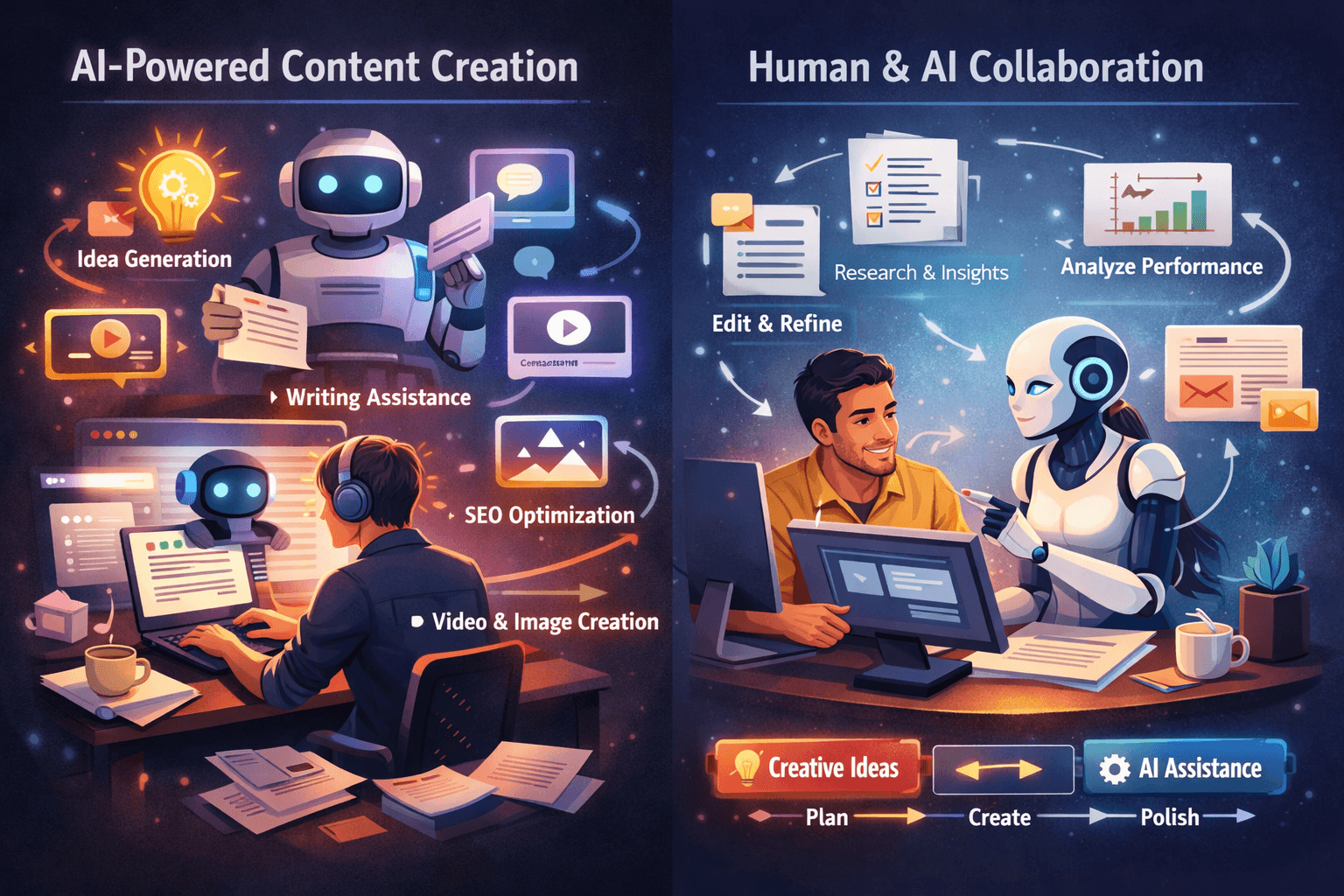
Have you ever wished you could finish content faster without losing creativity or quality?
How AI Tools Help Content Creators Work Faster and Smarter
You’ll find that AI tools have changed how content creators plan, produce, and polish their work. This article explains practical ways AI can accelerate your workflow, improve decision-making, and free up time for higher-value creative tasks.
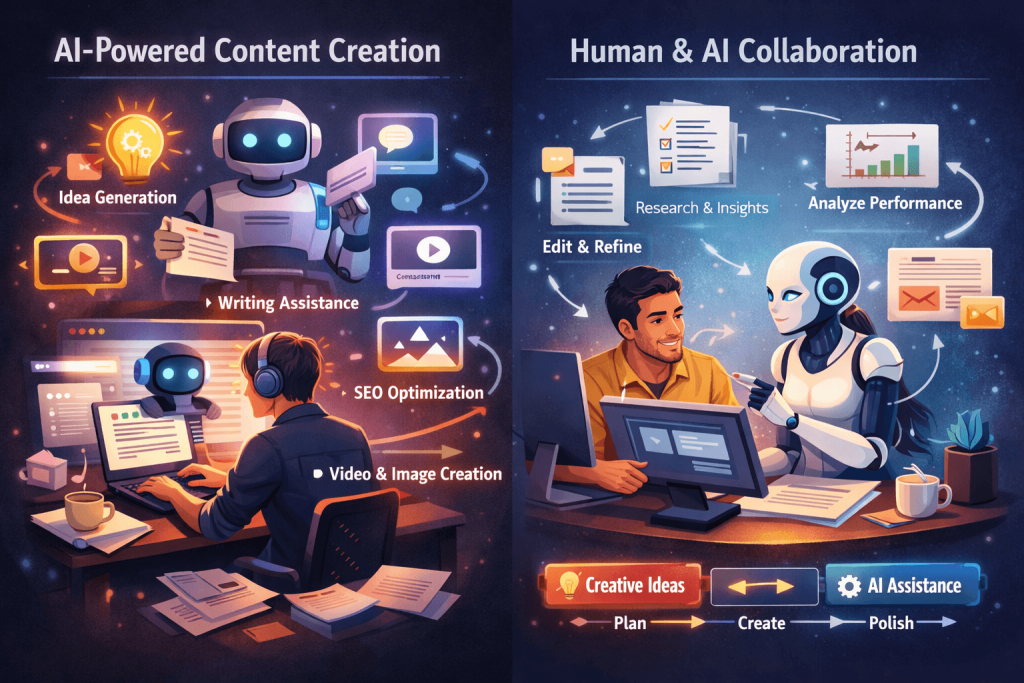
How AI Tools Help Content Creators Work Faster
AI doesn’t just speed up isolated tasks — it transforms whole workflows so you can produce more consistent, higher-quality content with less friction. You’ll learn where to apply AI, what kinds of tools to use, and how to combine human judgment with machine assistance.
See the best AI tools for content generation in 2026.
Why speed and intelligence matter for content creation
You need to move quickly to meet deadlines and respond to trends, and you also need smart choices to make content perform. AI helps with both. It reduces repetitive work and surfaces insights that would otherwise take hours to gather.
Balancing speed with creative control
Faster doesn’t mean losing your voice or standards. AI can take over routine steps while you focus on strategy and creative direction. This balance is essential for sustaining a consistent brand and producing work that resonates.
Common categories of AI tools for content creators
There are many specialized AI tools, and each serves different parts of your content pipeline. Understanding categories helps you select the right tool for a given task and assemble an effective stack.
Writing and editing assistants
These tools help generate drafts, rewrite copy, and provide grammar and style corrections. You can use them to get unstuck, polish drafts, or tailor content for different audiences.
Research and fact-finding tools
AI-driven research assistants can summarize documents, extract key facts, and find relevant sources quickly. They save time that you’d otherwise spend sifting through search results and long articles.
SEO and keyword optimization tools
AI can analyze search trends, suggest keywords, and optimize on-page elements to help your content rank better. These tools guide you on what topics to target and how to structure content for search engines.
Idea generation and topic discovery
If you need fresh angles or content calendars, AI can suggest topics based on audience behavior, trending themes, and gaps in existing coverage. This helps prevent creative blocks and keeps your pipeline full.
Visual and multimedia tools
AI assists image generation, video editing, audio transcription, and even automatic captioning. These capabilities reduce the time needed for production and post-production tasks.
Content personalization and recommendation engines
AI can tailor content recommendations based on user behavior and preferences. This boosts engagement and helps you create more relevant experiences for different audience segments.
Analytics and performance prediction
Predictive AI models can estimate how content will perform and recommend improvements. They help you prioritize pieces that are likely to deliver the most impact.
Workflow automation and integration tools
Automation platforms use AI to connect different apps and automate repetitive sequences — like publishing, tagging, and distributing content. These remove manual bottlenecks from your process.
How each AI category speeds up your work (practical examples)
You’ll get practical value from AI when it replaces tedious steps and amplifies decisions. Below are concrete ways each category reduces effort and improves output.
Writing and editing assistants — generate, revise, refine
Instead of creating first drafts from a blank page, you can ask an AI to produce a structured outline or a full draft in minutes. You then spend time refining tone, facts, and brand voice. You also use AI to rephrase sentences and correct grammar instantly.
Research tools — summarize and validate information rapidly
When preparing content, you often need to read multiple sources. AI summarizers condense long articles into key points, saving you hours. Fact-checking tools help flag potential inaccuracies so you can verify quickly.
SEO tools — target the right opportunities
AI recommends keywords and headline structures that align with search intent. This eliminates guesswork and reduces the trial-and-error cycles that cost time and traffic.
Idea generation — avoid creative blocks
Instead of brainstorming for hours, you can use AI to suggest dozens of angles, hooks, and formats. You pick the best ones and adapt them to your brand voice, which is more efficient than starting from scratch.
Visual AI — create assets faster
AI image and video tools produce storyboards, mockups, or even full visuals that only need minor edits. This significantly reduces design turnaround and external costs.
Personalization — increase relevance without manual segmentation
AI automates content tailoring across audience segments. You don’t manually craft dozens of variants; the system generates targeted versions and optimizes them over time.
Analytics — measure smarter, act faster
AI highlights anomalies and recommends changes, enabling you to react quickly to underperforming content rather than waiting for manual reports.
Automation — remove repetitive tasks
Automated workflows handle routine steps like publishing schedules, social distribution, and metadata tagging. This frees you from manual administration so you can focus on strategy.
Key benefits you’ll notice immediately
When you adopt AI thoughtfully, the gains are tangible. You’ll see improvements in speed, consistency, and ability to scale production without proportionally increasing resources.
Faster turnaround times
Drafts, revisions, and production stages compress dramatically. You can publish more frequently or allocate time to longer-form, higher-quality pieces.
Consistent quality and tone
AI tools help maintain stylistic consistency across authors and platforms. You can implement brand guidelines across automated checks and suggestion engines.
Better audience insights
AI synthesizes audience data into actionable insights, helping you craft content your viewers are more likely to engage with.
Lower operational cost
Some tasks that used to require specialist contractors or long internal timelines can be handled with AI-assisted workflows, reducing cost per piece.
Enhanced creativity
Paradoxically, freeing yourself from routine tasks often boosts creativity. You’ll have more bandwidth for storytelling, experimentation, and high-level strategy.
Practical workflows that combine human and AI strengths
You’ll get the most value by mixing human judgment with AI efficiency. The following workflows show typical ways to combine strengths across stages.
Idea to publish — an end-to-end sample workflow
- Use AI to scan trends and generate a list of topic ideas.
- Pick an angle and use AI to create an outline.
- Draft content with an AI writing assistant, then edit for accuracy and tone.
- Generate visuals with image/video AI or request templates from design tools.
- Optimize content with an SEO AI for keywords and metadata.
- Use automated publishing integrations to schedule and distribute.
- Monitor performance dashboards and ask AI to suggest improvements.
Each step reduces time demands and allows you to focus on decisions that require your expertise.
Repurposing content across formats
You can use AI to convert blog posts into social posts, scripts for short videos, email newsletters, and visual snippets. This approach multiplies the value of each asset and shortens turnaround on multi-channel campaigns.
Collaborative team workflows
AI assists in assigning tasks, standardizing briefs, and auto-generating drafts that team members iterate on. This reduces friction between writers, editors, designers, and marketers.
Tools and examples — what to pick for specific needs
Choosing tools depends on your goals and budget. Below is a compact table that maps common creator needs to typical AI tool types and examples. Use it as a starting point when evaluating vendors.
| Need | Tool type | Example capabilities |
|---|---|---|
| Quick drafting | AI writing assistant | Generate blog drafts, headlines, outlines |
| Fact summarization | Document summarizer | Condense articles, extract key points |
| SEO optimization | SEO AI | Keyword suggestions, content scoring, SERP analysis |
| Visual creation | Image/video AI | Generate images, edit video, create thumbnails |
| Transcription | Speech-to-text AI | Fast transcriptions, timestamps, captions |
| Personalization | Recommendation engine | Tailor content for audience segments |
| Automation | Workflow automation | Publish scheduling, cross-posting, metadata tagging |
| Analytics | Predictive analytics | Performance forecasts, A/B test suggestions |
How to evaluate tools
When you evaluate an AI product, consider accuracy, ease of integration, customization options, cost, and privacy/compliance. You’ll also want a trial period or a pilot to measure impact before committing.
Common objections and how to address them
You may have concerns about AI replacing jobs, producing low-quality content, or creating ethical issues. These are legitimate, and you can manage them.
Will AI make creators redundant?
AI is a force multiplier, not a complete replacement for human creativity and judgment. Your editorial oversight, unique perspective, and brand understanding remain crucial. Use AI to automate mechanical tasks so you can focus on high-impact activities.
What about quality and originality?
AI can produce useful drafts, but you need to ensure originality and depth. Always edit AI output, verify facts, and inject unique insights. Tools exist to check for plagiarism and to evaluate the novelty of ideas.
Is the output biased or inaccurate?
AI models can reflect biases present in their training data. You should use diversified sources, apply fact-checking, and maintain a feedback loop to flag and correct biased outputs.
How do you manage data privacy?
If your content involves sensitive or proprietary information, verify the tool’s data handling and storage policies. Choose enterprise options that offer on-premises or private cloud deployments when necessary.
Best practices for integrating AI into your workflow
Adopting AI successfully requires structure. Follow these practices to reduce risk and maximize value.
Start with clear use cases
Identify repetitive tasks that consume most of your time and pilot AI on those. Success in small, measurable projects encourages broader adoption.
Maintain human-in-the-loop review
Always include human review for topical accuracy, brand voice, and legal compliance. AI should assist but not replace final editorial control.
Customize models and prompts
Configure AI to match your style and domain by providing examples, brand guidelines, and feedback. Prompt engineering increases relevance and reduces editing time. We can easily use AI Prompts to general content ideas for our business.
Monitor and measure
Track metrics like time saved, production volume, engagement, and conversion rate. Use these indicators to justify ongoing investment and refine workflows.
Create editing guidelines for AI output
Develop specific rules for how much AI-generated text is acceptable, the review process, and how to tag AI-assisted pieces for transparency if needed.
Example prompts and templates to speed up work
Good prompts reduce the number of iterations you need. Use templates that include context, audience, desired tone, and format. You can leverage PrompterIQ to generate good prompts for your online business.
Blog post generation prompt template
- Topic: [insert topic]
- Audience: [describe primary audience]
- Goal: [inform/convert/entertain]
- Length: [word count]
- Tone: [friendly, formal, authoritative]
- Key points to include: [bullet list]
Provide this structure to your AI writing assistant to generate a focused first draft that’s closer to publication.
Social media caption template
- Platform: [Twitter/LinkedIn/Instagram]
- Objective: [drive traffic/awareness/engagement]
- Hook: [strong opening sentence]
- CTA: [what you want the user to do]
- Hashtags: [relevant tags]
This helps the AI produce short, platform-appropriate variants quickly.
Measuring ROI and success metrics
You need to justify AI investments by measuring clear outcomes. Track a combination of productivity, quality, and business impact metrics.
Productivity metrics
- Time to first draft
- Average editing time per piece
- Throughput (pieces per week/month)
These show how AI reduces manual effort.
Quality and engagement metrics
- Read time and bounce rate
- Social shares and comments
- Conversion rates
These measure whether faster production still leads to valuable outcomes.
Financial metrics
- Cost per published piece
- Revenue attributed to content campaigns
- Savings on outsourcing or tool consolidation
Calculate payback periods and project future savings as your team scales AI use.
Risks, ethics, and legal considerations
Using AI responsibly is important for reputation and legal compliance. You’ll need policies, transparency, and oversight to minimize risks.
Attribution and transparency
Decide whether to disclose AI assistance in content. Transparency can build trust, but you must balance it with practical workflow considerations.
Copyright issues
Confirm whether AI-generated material or training data could infringe on existing copyrights. Use tools that offer clear licensing terms and avoid copying protected content verbatim.
Bias and misinformation
Implement review processes to catch biased or incorrect outputs. Maintain a fact-checking step especially for topics that affect health, finance, or sensitive social issues.
Data protection
Protect user data and confidential sources when using third-party AI tools. Prefer vendors with strong security practices and contractual assurances.
Real-world case examples
Seeing how other creators use AI helps you imagine practical applications. Below are concise fictionalized examples inspired by real-world patterns.
Solo content creator scaling output
You’re a solo blogger who uses an AI writing assistant for outlines and first drafts, and an AI image generator for thumbnails. You cut production time per post from 10 hours to 3 hours, enabling you to post more consistently and grow your audience.
Small team improving quality control
Your team uses AI for grammar checks, SEO scoring, and automated transcriptions. Editors focus on strategic and creative improvements, reducing review cycles and increasing content reliability.
Company using AI for personalization
You implement a recommendation engine to tailor newsletters and article suggestions. Engagement increases because readers receive more relevant content, and conversion rates rise accordingly.
Tool comparison table
This table gives a side-by-side view of typical features to consider when selecting tools. Use it to shortlist candidates for trials.
| Feature | Writing assistant | SEO AI | Visual AI | Automation |
|---|---|---|---|---|
| Draft generation | High | Low | Medium (text-to-image) | Low |
| Editing & grammar | High | Medium | Low | Low |
| SEO suggestions | Medium | High | Low | Medium |
| Integration with CMS | Medium | High | Medium | High |
| Customization (brand voice) | High | Medium | High | Medium |
| Cost | Variable | Variable | Variable | Variable |
| Privacy options | Varies by vendor | Varies | Varies | Varies |
Implementation checklist to get started this week
If you want to implement AI quickly, follow these steps to reduce friction and deliver visible results.
- Identify two high-impact, repetitive tasks to automate.
- Select one or two tools with free trials or pilot plans.
- Create prompt templates and style guides for consistency.
- Run a short pilot with measurable goals (e.g., reduce drafting time by 50%).
- Review outputs with your team, refine prompts, and document workflows.
- Scale gradually, monitoring metrics and privacy concerns.
Future trends to watch
AI continues to evolve, and your approach should stay flexible. Upcoming trends will reshape what’s possible for creators.
Improved multimodal capabilities
AI will get better at mixing text, audio, images, and video into cohesive outputs, letting you produce richer content faster.
Real-time collaboration
Expect AI assistants to become collaborative partners that join live editing sessions and offer suggestions as you work.
Greater tool interoperability
Open standards and better integrations will make it easier to stitch AI tools into your existing stack without painful migrations.
More specialized AI models
Domain-specific models will provide deeper accuracy for niches like legal, medical, or scientific content, reducing the need for heavy human correction.
Final tips for long-term success
Adopting AI is not just about tools — it’s about changing how you work. The following tips help you sustain gains over time.
- Invest in training your team on prompts and editing workflows so everyone speaks the same language with AI.
- Keep human oversight central, especially on claims, sources, and brand tone.
- Iterate on metrics and adjust tool choices as your needs evolve.
- Document what works and what doesn’t so new team members can onboard quickly.
- Maintain a shortlist of trusted vendors and regularly review their privacy and policy updates.
Closing thoughts
AI can make you faster, more consistent, and more strategic, but only if you adopt it thoughtfully. You’ll get the best results by combining AI’s speed with your judgment and creativity. Start small, measure what matters, and scale what works so your content becomes both more productive and more impactful.