
Have you ever needed to know exactly what you can and can’t do with software your organization buys?
What Is Commercial License Software? Understanding Rights and Restrictions
Commercial license software is proprietary software that a vendor sells or licenses to you under specific terms and conditions. It grants you rights to use the software in ways defined by the license, while reserving other rights to the vendor; understanding both the permitted actions and the restrictions helps you manage risk and get value from the purchase.
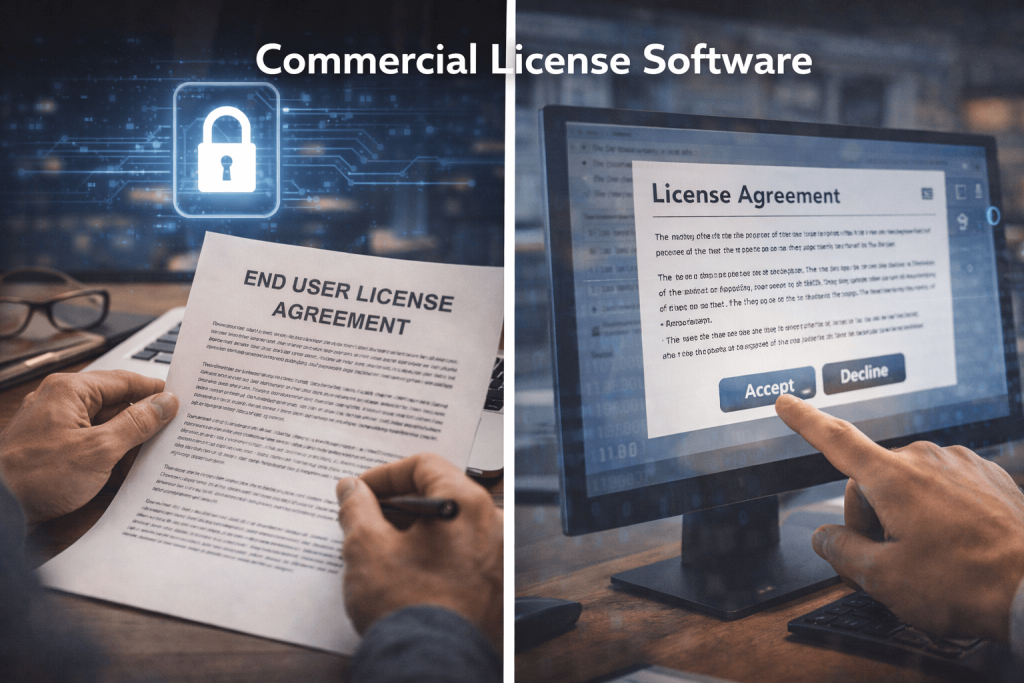
Basic definition and how it differs from other software
A commercial license is typically a legal agreement — often called an End User License Agreement (EULA) or license agreement — that specifies how you may use the software. It differs from free or open-source software because the vendor generally retains ownership and imposes limits on copying, modification, redistribution, and sometimes usage scenarios.
Why the licensing model matters to you
Licensing dictates cost, compliance obligations, upgrade paths, and operational limits that affect budgeting, security, and procurement. If you misunderstand the rights and restrictions, you can face unexpected expenses, service interruptions, or legal exposure.
Types of Commercial Licenses
There are many licensing models used by vendors, and each model affects how you deploy and pay for software. Below are the common categories you will encounter.
Perpetual licenses
A perpetual license lets you use a specific version of the software indefinitely after you buy it. You should note that perpetual licenses often exclude ongoing support and updates unless you purchase a maintenance contract.
Subscription licenses
Subscription licenses provide access for a defined period — often monthly or annually — and typically include updates and support while the subscription is active. You will need to keep paying to maintain access and support.
Seat-based and user-based licenses
Seat-based (per-seat) or named-user licenses limit how many individual users can access the software. If you have fluctuating staff or contractors, you will need to manage license assignments carefully to remain compliant.
Concurrent or floating licenses
Concurrent or floating licenses cap the number of simultaneous users rather than named users. You can install the software on many machines, but only a specified number of users can use it at the same time. This model can lower costs if your users are not all using the product concurrently.
Device- and node-locked licenses
Device-locked licenses restrict use to specific hardware or devices. If you replace equipment, you may need vendor assistance or license reissue to restore functionality.
Site and enterprise licenses
Site and enterprise licenses cover an entire location, department, or company under a single fee or contract. You will benefit from simplified management, but you may trade off granular control over per-user costs.
Usage-based and consumption licenses
Usage- or consumption-based models charge based on activity (e.g., API calls, CPU hours). These are flexible but can produce variable and sometimes unpredictable costs if consumption spikes.
OEM and bundled licenses
Original Equipment Manufacturer (OEM) licenses are bundled with hardware or systems and typically transfer with the hardware. These licenses can have special restrictions and transfer rules you must review.
License Rights: What You Typically Get
Understanding common rights helps you plan deployments and justify purchases. Rights vary widely by vendor and version, so always read the license text carefully.
Typical rights granted
You usually receive the right to install and run the software, use it for permitted purposes (commercial, internal, etc.), and make one or more backup copies for archival purposes. Many licenses also allow you to receive updates and patches under a maintenance arrangement.
Redistribution and copying
Most commercial licenses prohibit redistribution, resale, or public sharing of the software. You will commonly be prohibited from embedding the software into another product or redistributing it to third parties without explicit permission.
Backup and disaster recovery rights
Often the license permits creating backup copies and using the software in disaster-recovery environments, but you should confirm whether a separate license or failover permission is required for DR sites.
Right to support and updates
Support and updates may be included or optional. When included, the scope and timing of updates and support responses are defined by Service Level Agreements (SLAs) or maintenance contracts.
License Restrictions: What You Commonly Can’t Do
Restrictions are the core of commercial licenses. They protect vendor intellectual property and revenue models, but they can constrain your operational flexibility.
No modification or reverse engineering
Most commercial licenses forbid modifying, reverse engineering, decompiling, or attempting to derive source code. If you need customizations, you will usually work with the vendor or use supported APIs.
No redistribution or sublicensing
You typically cannot distribute the software, create derivative works for distribution, or sublicense the product to others. Doing so can violate the license and lead to termination or legal action.
Geographical or localization restrictions
Some licenses limit where you can use the software geographically or require additional permissions to deploy in other countries. These restrictions can interact with export control and data residency laws.
Time-limited and feature-limited use
Licenses can be time-limited (subscriptions) or feature-limited (modules or editions). Unlicensed access to restricted modules can result in compliance penalties or disabled functionality.
Usage metrics limits
Licenses often define metrics such as number of users, cores, CPU sockets, installations, or transactions. Violating these metrics is a common cause of audit findings.
Table: Common License Types and Typical Use Cases
| License type | Typical measurement | Best for | Key limitation |
|---|---|---|---|
| Perpetual | One-time purchase | Stable long-term use | May require separate support contract |
| Subscription | Time period (monthly/annual) | Predictable updates and support | Requires ongoing payments |
| Per-user / Per-seat | Named users | Small teams with fixed staff | Cost scales with headcount |
| Concurrent / Floating | Simultaneous users | Organizations with shared access | Requires license server |
| Device-locked | Hardware ID | Single-device installations | Difficult to transfer |
| Site / Enterprise | Organization or site | Broad internal use | Higher upfront cost |
| Usage-based | API calls, CPU hours | Cloud-native, variable load | Billing variability |
| OEM | Hardware | Bundled hardware/software | Transfer tied to hardware |
Key Documents: EULA, SOW, and SLA
Several documents guide your rights and responsibilities. Knowing their differences helps you manage expectations and obligations.
End User License Agreement (EULA)
The EULA governs how you may use the software and spells out restrictions, warranty disclaimers, license metrics, and termination clauses. You should read the EULA before installation because it often becomes part of the binding agreement when you accept it.
Statement of Work (SOW)
A Statement of Work describes project-specific services, deliverables, timelines, and responsibilities when you procure implementation, customization, or consulting. You will rely on the SOW to set expectations for work beyond standard licensing.
Service Level Agreement (SLA)
SLAs define support levels, response times, uptime commitments, and remedies for failures. You should ensure SLAs match your operational needs, especially for mission-critical applications.
Commercial vs. Open Source: What You Should Know
Commercial license software and open-source software (OSS) are fundamentally different in license philosophy, but they often coexist in modern systems.
Core differences
Commercial software generally restricts copying and modification, while OSS licenses grant rights to use, modify, and redistribute under defined terms. You will trade flexibility in OSS for commercial support and integrated features in proprietary software.
When commercial makes sense for you
You may prefer commercial software when you need vendor accountability, specialized features, guaranteed support, integration with enterprise systems, or when regulatory requirements require vendor warranties and indemnities.
When OSS may be preferable
Open-source options can lower upfront costs and give you more control and transparency into code. If your team can maintain and secure OSS components, you might reduce vendor lock-in and innovate more freely.
Hybrid and dual-licensed models
Some vendors use hybrid models where core components are open-source but commercial add-ons, support, or hosted services are paid. Dual licensing allows you to choose an open-source license for some use cases and a commercial license for others.
Compliance and Audits: Staying on the Right Side of the Contract
Vendors frequently conduct license audits to ensure compliance. Knowing how audits work helps you prepare and reduce risk.
Why vendors audit
Audits protect vendor revenue, enforce licensing terms, and detect misuse or over-deployment. You should expect audits in commercial agreements and plan your response strategy.
Typical audit process
A vendor or independent auditor requests inventory, device lists, user counts, and evidence of purchase. You’ll be asked to provide logs, license keys, and sometimes to install an audit tool or run a script that reports installations.
How to prepare for an audit
Maintain accurate inventory records, keep purchase orders and license keys safe, use Software Asset Management (SAM) tools, and document deployments and renewals. If an audit finds discrepancies, transparent remediation and corrective action reduce penalties.
Responding to audit findings
If counts exceed licenses, negotiate remediation options with the vendor, which may include purchasing additional licenses, paying a retrofit fee, or accepting reduced functionality. Legal counsel can help if disputes arise.
Managing Commercial Licenses: Best Practices
Effective license management reduces cost, risk, and administrative overhead. These practical steps help you stay compliant and efficient.
Create a central inventory
Maintain a central repository of licenses, contracts, renewal dates, and entitlement proof. This single source of truth simplifies audits and procurement decisions.
Use Software Asset Management (SAM) tools
SAM tools detect installations, measure usage, and reconcile entitlements. They can automate discovery and flag over-deployments before an audit.
Standardize procurement and deployment processes
Enforce procurement approvals, standardize configurations, and use automated provisioning to control license distribution. This prevents shadow IT and uncontrolled license sprawl.
Build renewal and budget calendars
Track renewal and maintenance deadlines and align them with budget cycles. Early negotiation can reduce costs and secure better commercial terms.
Negotiate favorable terms
You can negotiate volume discounts, flexible metrics, transfer rights, audit notice periods, and termination provisions. Vendors often prefer long-term relationships, so you can leverage commitment for better terms.
Legal and Financial Considerations
Licensing is both a legal contract and a financial commitment. You should involve legal and procurement teams early to manage risk.
Liability, warranty, and indemnity
Commercial licenses often limit vendor liability and disclaim warranties, but you can negotiate indemnities for IP infringement or data breaches. Ensure indemnity language and limitations are acceptable to your organization.
Accounting and capitalization
Perpetual licenses may be capitalized as assets, while subscription costs are usually expensed. Your finance team should classify licenses per accounting rules and tax regulations.
Transfer and resale rules
Many licenses restrict transfer, especially for device-locked or OEM software. If you plan mergers, acquisitions, or surplus equipment sales, confirm transferability clauses.
Export control and regulatory compliance
Commercial software may be subject to export controls or local regulations. You are responsible for complying with export laws and data residency rules when deploying software across borders.
Security and Maintenance Obligations
Your license impacts how you receive security updates and who is responsible for patching and vulnerabilities.
Patching and updates
Commercial vendors typically release patches and security updates; maintenance contracts often govern timelines and access. You should ensure timely updates to protect against vulnerabilities and check whether extended support is available for legacy versions.
Responsibility for integration security
Even with vendor patches, you remain responsible for securing your environment, configuring integrations securely, and performing penetration testing where required. Licenses rarely relieve you of operational security obligations.
End-of-life and legacy support
When a vendor ends support for a version, you’ll need a plan to upgrade, mitigate risk, or pay for extended support. Running unsupported versions amplifies security and compliance risks.
Customization, APIs, and Extensions
If you need to tailor commercial software, check license terms about modifications and API usage.
Allowed customizations
Some vendors permit customizations through documented APIs, SDKs, or official extension frameworks. You’ll want to follow supported methods to avoid breaking warranties or violating EULAs.
Prohibited modifications
Directly altering proprietary binaries, bypassing license checks, or embedding licensed code into your products is typically forbidden. When customization is essential, negotiate source access or professional services.
Third-party components and OSS obligations
Commercial software often includes open-source components that carry their own license obligations. If embedded components are under copyleft licenses (e.g., GPL), you must understand whether obligations (like source disclosure) apply to your deployments or derivatives.
Negotiation Strategies: Getting Better Commercial Terms
You can often obtain better value through informed negotiation. Prepare data and align terms with your business needs.
Know your usage and needs
Collect usage data, peak needs, and future growth projections. Vendors will be more willing to negotiate if they see you as a strategic, long-term customer.
Bundle and consolidate
Consolidate purchases across business units to gain volume discounts and simplify management. Bundles can also reduce per-seat or per-feature costs.
Ask for flexibility
Request flexible licensing terms for cloud/virtualized environments, test and development copies, and disaster recovery. Also ask for favorable audit terms (reasonable notice, scope limits, and no intrusive software).
Secure exit and transition terms
Negotiate data export, transition assistance, and source code escrow for critical systems to reduce vendor lock-in risk. Escrow can be vital for custom or mission-critical software.
Migrating Away From Commercial Software
If you need to replace a commercial product, plan carefully to avoid service gaps and compliance issues.
Plan the migration steps
Inventory dependencies, export data, validate integrations, and run pilot migrations. Migration often requires license considerations for both source and destination systems.
Mitigate licensing during transition
Some vendors provide temporary migration licenses or grace periods; negotiate these early. You might also require parallel operations while teams transition.
Consider hybrid approaches
You can phase migration by coexisting with the commercial product or using an OSS alternative for less-critical functions until you’re ready for a full cutover.
Common Pitfalls You Should Avoid
Knowing typical mistakes helps you prevent problems before they arise.
Ignoring license agreements
Not reading the EULA, SOW, or SLA can lead to surprise restrictions and liabilities. Always review contracts with legal and procurement.
Over-deploying without entitlements
Installing more instances than you’re entitled to is a common audit failure. Use SAM tools and proactive reconciliation to stay compliant.
Failing to track renewals
Letting subscriptions lapse can cause service interruptions. Maintain renewal calendars and automatic reminders.
Assuming warranties are broad
Vendors often limit liability; don’t assume broad warranties or indemnities exist unless negotiated. Get precise commitments if you rely on the vendor for critical services.
Table: Checklist for Evaluating a Commercial License
| Checklist item | Why it matters |
|---|---|
| Read EULA and SOW | Defines your rights and vendor obligations |
| Confirm license metric | Prevents unexpected audit exposure |
| Verify transferability | Important for M&A and asset disposal |
| Check update/support terms | Ensures security and continuity |
| Understand audit rules | Know notification period and scope |
| Review indemnity and liability | Limits legal exposure |
| Assess migration options | Reduces vendor lock-in risk |
| Identify included OSS components | Be aware of copyleft obligations |
FAQs: Quick Answers to Common Questions
These short answers will clarify frequent concerns you’ll encounter.
Can you resell commercial software?
Usually not without explicit permission. Resale or redistribution is commonly restricted by the vendor unless you are an authorized reseller.
Can you modify commercially licensed software?
Modification is typically prohibited unless the license grants modification rights or you obtain source access or special developer agreements.
Are license audits legal?
Yes. Vendors usually include audit rights in the EULA. Audits must be conducted per the agreement terms; if you disagree, seek legal counsel.
What happens if you violate a commercial license?
Consequences can range from termination of the license, requirement to purchase retroactive licenses, fines, or legal action. Prompt remediation and negotiation often mitigate penalties.
How do you handle open-source code inside commercial software?
Identify OSS components and adhere to their licenses. Copyleft licenses may impose distribution obligations, so consult legal counsel for complex integrations.
Closing Guidance: How to Make Licensing Work for You
Licensing should be a strategic enabler, not an obstacle. By reading contracts, centralizing asset management, negotiating practical terms, and maintaining disciplined operational practices, you will reduce risk and extract more value from your software investments. You should involve legal, procurement, IT, and finance early in the process so licensing aligns with business needs and compliance obligations.
If you need a tailored checklist, assistance reviewing a specific EULA, or help designing a SAM program, consider engaging internal stakeholders or outside counsel to ensure your licenses match your technical and commercial requirements.
