
This review covers the features, workflow, strengths, weaknesses, and practical tips so you can decide whether the Faceless Video Income Formulator fits your strategy.

What is the Faceless Video Income Formulator?
The Faceless Video Income Formulator is a web-based AI tool and step-by-step system created by Jim Daniels. It analyzes any product sales page and produces ready-to-use assets for creating faceless videos: a video script, an SEO-friendly title, a YouTube description pre-filled with your link, and thumbnail image prompts. The tool is designed to help you convert sales pages into persistent video funnels that can drive passive traffic and affiliate or product sales — all without appearing on camera.

Core concept
- You paste a sales page URL into the web app.
- The system scrapes and analyzes the copy, identifying the product’s key benefits, objections, and sales reasoning.
- It generates an optimized, persuasive video script and the supplementary assets you need to publish an effective faceless video quickly.
- Jim’s six tutorial videos walk you through turning those outputs into real videos using free software on Windows or Mac.
Who is this for?
- You, if you’re an affiliate marketer who doesn’t want to be on camera but still wants to use video traffic.
- You, if you sell digital products and want scalable video funnels that explain and recommend your offers.
- You, if you want to outsource video production from idea to upload, or if you want to offer video creation as a service using a commercial license.
- You, if you value speed, simplicity, and a tool that removes the blank-page problem when creating persuasive video content.
How it works — the process in plain terms
- Paste a sales page link into the web app.
- The tool scrapes and analyzes the page to understand features, benefits, objections, proof, and the core sales message.
- It generates:
- A video script tailored to faceless presentation styles.
- An attention-grabbing title optimized for search and clicks.
- A fully written description that includes your affiliate or product link.
- Thumbnail image prompts you can use with free image tools or editors.
- You follow Jim’s training to:
- Produce a voiceover (text-to-speech or human).
- Assemble visuals (stock clips, screenshots, slides, animations).
- Create thumbnails using the provided prompts.
- Edit and upload the video with optimized metadata.
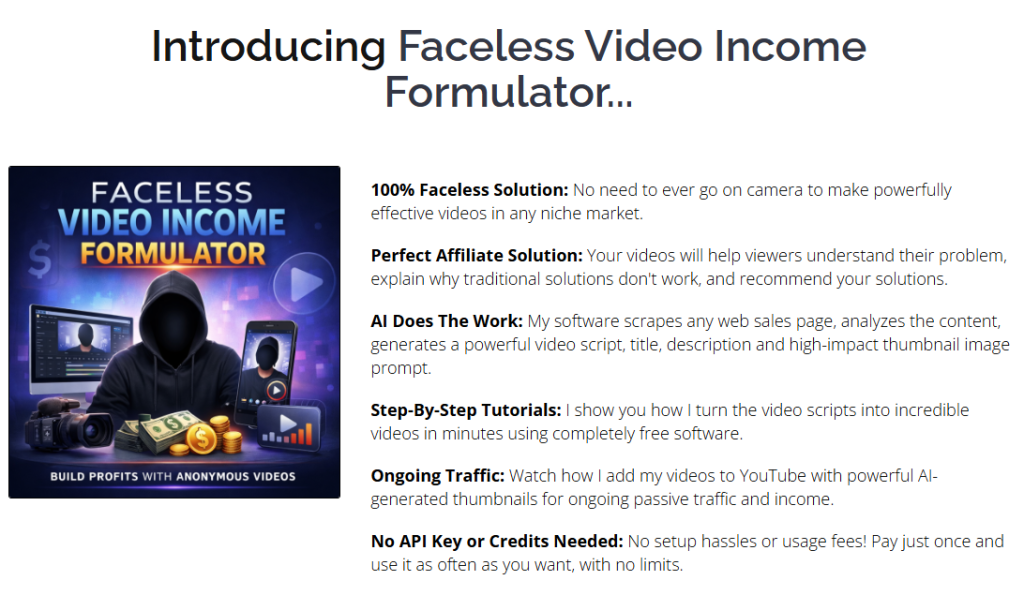
What you get (what’s included)
- Faceless Video Income Formulator web app (browser-based).
- Six step-by-step tutorial videos by Jim Daniels showing the conversion of AI output into publish-ready faceless videos using free tools.
- AI thumbnail prompts designed to create high-CTR images without paid image API credits.
- Free commercial license to create videos for yourself, affiliates, or clients.
- Unlimited lifetime usage — no credits, no separate API setup, and no recurring fees.
- 30-day risk-free guarantee (earn 5x the purchase price or ask for a full refund).
Important clarity about render and automation
- The software does not automatically render final videos. It produces the script, title, description, and thumbnail prompts.
- The training demonstrates how to convert that output into completed videos using free editors and tools. The output speeds up the creative process and reduces the need to write persuasive scripts from scratch.
Quick features breakdown (table)
| Feature | What it does | Benefit | Who it helps most |
|---|---|---|---|
| Sales page scraping | Analyzes page copy and structure | Extracts selling points and objections automatically | Affiliates, vendors |
| Script generation | Produces a ready-made faceless video script | Saves hours of copywriting and aligns messaging to the sales page | Anyone who dislikes writing scripts |
| Title & description generator | Produces SEO-friendly title and pre-filled description with your link | Improves likelihood of clicks and tracks conversions | Marketers focused on YouTube traffic |
| Thumbnail prompts | Generates image prompts for clickable thumbnails | Speeds thumbnail creation without extra image credits | Creators who need clickable thumbnails fast |
| Training videos | Six tutorials to assemble videos using free tools | Removes technical friction for first-time creators | Beginners and non-editors |
| Commercial license | Allows you to create/sell videos | You can sell services or make affiliate videos legally | Agencies, freelancers |
| Unlimited usage | No credits or recurring fees | Scales without running costs | High-volume creators |
Strengths — why you might choose it
- You’ll get high-quality persuasive scripts tailored to the sales page. The tool analyzes the page copy so the script aligns closely with the product message, which reduces mismatched messaging that would hurt conversions.
- Speed: instead of spending hours writing a script, you’ll typically get a ready draft in minutes. That makes testing multiple offers fast and inexpensive.
- No camera skills required: you can leverage YouTube and other video platforms without putting your face onscreen — helpful if you dislike being on camera or want a scalable, repeatable process.
- Built for affiliates: scripts are written to educate viewers, highlight why common solutions fail, and recommend your affiliate offer naturally.
- Lifetime usage and commercial license: you won’t be hampered by per-video credits or extra licensing fees for selling the finished videos.
- Training included: Jim’s tutorials show real-world steps for turning the AI outputs into finished videos using free software — reducing the learning curve.
Weaknesses and realistic limitations
- No automatic video rendering: If you’re expecting a fully produced video from the web app, the product does not do that. You still need to assemble visuals and audio in an editor.
- Quality of final videos depends on your execution: the script is only one part; voiceover quality, image selection, pacing, and editing determine watch time and conversions.
- Thumbnail design still requires a manual step: you get prompts, not final images. You’ll need a basic image editor or a free thumbnail tool.
- Relying on sales page copy: if the sales page is poorly written, the output may need significant refinement. The tool helps, but it doesn’t replace strong original copywriting when the source content is weak.
- Competition and SEO: Many creators use machine assistance. You’ll still need solid SEO and promotional strategy to stand out.
Pricing and guarantee
- Lifetime access with unlimited usage — no recurring fees and no API keys required.
- Free commercial license included.
- 30-day guarantee: If you don’t earn 5x the purchase price within 30 days, you can email Jim for a full refund. The claim suggests a strong confidence in results, but you should track earnings and be prepared to show basic proof. The refund process is described as “no questions asked” in the sales copy.
Step-by-step workflow you can follow (practical, action-oriented)
- Choose the sales page you want to convert.
- Confirm it’s an affiliate product you can promote or your own product.
- Paste the sales page URL into the web app.
- Review the generated script and assets:
- Edit the script to include your voice, disclaimers, and unique positioning.
- Accept or refine the suggested title and description; ensure your link is present and properly formatted.
- Use the thumbnail prompts to produce drafts in a free image editor or AI image tool (as instructed by the training).
- Create the voiceover:
- Use a decent text-to-speech voice, a freelance voice actor, or record a simple human narration.
- Match pacing in the script to your intended visuals.
- Gather visuals:
- Stock footage, product screenshots, short screen recordings, slides, motion graphics, or royalty-free images.
- Consider simple animations that emphasize benefits and pain points.
- Assemble in a free editor:
- Use Shotcut, OpenShot, DaVinci Resolve (free), or any editor you prefer.
- Place the voiceover, add B-roll, on-screen text for key points, and transitions.
- Create the thumbnail:
- Use the AI prompts with an image editor such as Canva free plan, or a free AI image tool that accepts text prompts.
- Ensure the thumbnail is readable at small sizes and contains a clear focal point.
- Upload and optimize:
- Use the generated title and description; add relevant tags and a pinned first comment with your link if you prefer.
- Add chapters, end screens, and a call-to-action in the video and description.
- Monitor metrics:
- Track CTR, average view duration, links clicked, and conversions.
- Iterate based on what works: test different hooks, thumbnails, or voice styles.
- Scale:
- Repeat the process for other sales pages to create a portfolio of faceless videos that act as evergreen funnels.
Practical tips to improve your outcomes
- Edit the script for clarity and uniqueness: AI scripts are a strong baseline, but add your own angles, examples, or brief personal notes (without showing your face).
- Keep the intro hook short: the first 10–15 seconds should promise a clear benefit to improve retention.
- Use on-screen text to emphasize the most persuasive lines (benefit, warning, call-to-action).
- Combine different visual styles: product screenshots, simple slides, and short clips make faceless videos more engaging.
- Test multiple thumbnails: small changes in color, wording, or face/emoji presence can boost CTR.
- Use TTS voices with human-like inflection or hire a low-cost voice actor for higher-end videos.
- Create templates for your editing workflow so you can turn scripts into videos faster.
- Follow platform rules and disclose affiliate relationships clearly in the description as required by law (FTC compliance).
Examples of video formats you can make with the outputs
- Product overview and walkthrough (focus on benefits and how it solves a problem).
- Comparison videos (show why the product outperforms alternatives).
- “Top mistakes” videos that expose why common solutions fail and present the product as the fix.
- Case-study style videos that summarize testimonials and proof points from the sales page.
- Short-form clips and teasers for social platforms using the same script sections.
Comparison with alternatives
- Manual scripting + editing
- Pros: Complete control over messaging, style, and quality.
- Cons: Time-consuming and requires writing and editing skills.
- How the Formulator helps: Saves hours of scripting time and provides a proven structure you can refine.
- Full-service video rendering platforms
- Pros: Some services auto-create videos from scripts and assets.
- Cons: Often cost per video, limited customization, or ongoing fees.
- How the Formulator helps: You control production with no credits or recurring fees; it’s cost-effective if you want many videos.
- AI platforms that auto-render with paid image/video APIs
- Pros: Can produce final videos fast.
- Cons: Often charge per render or per image credits, and quality or voice options may be limited.
- How the Formulator helps: No extra image credits, and you can use free tools to polish videos for zero recurring cost.
Pricing vs value analysis
- Upfront cost vs lifetime usage: Because lifetime access removes recurring fees, if you plan to produce multiple videos the cost per video drops quickly.
- Commercial license: If you plan to create videos for clients or resell video production, the commercial license adds immediate value.
- Training: The included tutorials reduce the time to proficiency and allow you to get higher-quality results without hiring an editor immediately.
Compliance and ethics notes
- Affiliate disclosure: You must disclose your affiliate relationship in the video description and, ideally, within the video or pinned comment. This is required by many platforms and by law in many countries.
- Copyright and trademarks: When you use screenshots or logos from a sales page, be mindful of trademark usage and fair-use considerations. Using screenshots for review/educational content is commonly acceptable, but confirm platform rules and legal norms for your region.
- Evidence and claims: If you use statistics or claims in the script, ensure they are supported by the sales page or other verifiable sources. Avoid misleading claims that could trigger takedowns or refunds.
Metrics you should track
- Click-through rate (CTR) on thumbnails and title.
- Average view duration and audience retention (especially first 30–60 seconds).
- Number of link clicks in the description and pinned comment.
- Conversion rate on the sales page (this is the ultimate metric for ROI).
- Subscriber growth and engagement (comments and likes) for long-term channel health.
Pros and cons (summary)
Pros:
- Rapid script and asset generation saves time.
- Built specifically for affiliates and product sellers.
- No recurring fees; lifetime usage and commercial license included.
- Training provided to turn outputs into finished videos with free tools.
- Suitable for non-camera creators and those wanting passive traffic.
Cons:
- Does not render final videos automatically.
- Quality of results depends on your editing, voiceover, and thumbnail execution.
- If the source sales page is weak, outputs will need more manual refinement.
Suggested tools to pair with the Formulator (free or low-cost options)
- Video editors: DaVinci Resolve (free), Shotcut, OpenShot.
- Thumbnail/design: Canva (free tier), Photopea (free web-based Photoshop clone).
- Voiceover/TTS: Built‑in macOS/Windows voices, free TTS tools, or budget voice actors on marketplaces.
- Stock media: Pexels, Pixabay for free short clips and images.
- Screen capture: OBS Studio (free) for recording demos or walkthroughs.
- Analytics: YouTube Studio for CTR and retention metrics.
Frequently asked questions (FAQ)
Will the tool create the finished video for me?
No. The Faceless Video Income Formulator creates the script, title, description, and thumbnail prompts. Jim’s tutorials show how to convert those outputs into finished videos using free editors.
Do I need to show my face?
No. The system is explicitly designed for faceless videos so you can create effective content without appearing on camera.
Is there a commercial license?
Yes. You have permission to create videos for yourself, for affiliates, or to sell video creation services.
Are there usage limits?
No. The product offers unlimited lifetime usage with no credits or recurring fees.
What if I don’t get results?
There is a 30-day risk-free guarantee: if you don’t earn 5x the purchase price, you can email Jim for a full refund.
Best use cases — how to maximize ROI
- Batch production: Use the tool to produce 10–20 videos in a niche. More videos mean more chances for traffic and conversions.
- Funnel videos: Create a series of short videos for a single sales funnel — comparison, problems, solution, tutorial, and case studies.
- Agency offering: Use the commercial license to create a service for busy sellers who want faceless videos for their products.
- Evergreen content: Focus on offers that remain relevant for months so your videos continue to generate passive income.
Final verdict
If you want a faster, repeatable way to turn sales pages into persuasive faceless videos without recurring costs, the Faceless Video Income Formulator is a practical and efficient solution. It removes the most time-consuming part of the process — scriptwriting and core asset creation — and pairs that with actionable training to get you to a finished video quickly using free tools. Your results will depend on how well you execute the assembly, voiceover quality, and optimization steps, but the tool gives you a strong foundation to scale video funnels without ever appearing on camera.
If you plan to produce one-off, high-budget videos, you might prefer a full-service production approach. If you want volume, speed, and a commercial license to sell or scale, this tool offers excellent value and a clear workflow that can become a reliable part of your marketing stack.

Here are my VIP Bonuses That No One Gives (If You Grab The Product From Me Today):
Bonus 1: FaceShift AI Studio
A powerful AI visual editing tool that allows you to swap faces in photos, GIFs, and videos with impressive realism. Create creative composites or engaging visual content with unlimited edits and watermark-free exports.
Bonus 2: VideoClip Finder AI
An intelligent video search assistant that helps you locate specific moments inside YouTube videos using simple text descriptions. Jump directly to the most relevant scenes without manual browsing.
Bonus 3: SmartText OCR Extractor
An advanced OCR tool that extracts structured text from images, screenshots, and scanned documents with excellent accuracy. It preserves formatting and works well even with handwriting or low-quality images.
Bonus 4: MemeCreator AI Studio
Transform ordinary photos into share-worthy meme graphics using built-in templates and visual effects. Export ready-to-publish images optimized for social media engagement.
Bonus 5: VectorConvert AI Tool
Instantly convert PNG and JPG images into clean SVG vector files. Ideal for logos, branding graphics, and scalable illustrations.
Bonus 6: FaceInsight AI Analyzer
Upload a photo and receive a detailed facial structure analysis in seconds. Get personalized suggestions for hairstyles, eyewear, and styling based on facial proportions.
Bonus 7: PhotoEdit AI Workspace
A browser-based photo editing toolkit that handles background removal, object retouching, text replacement, and style transformation without installing complex software.
Bonus 8: AuthenticWrite AI Checker
Analyze written content and identify patterns that appear overly artificial. Improve tone and readability to produce natural, credible writing.
Bonus 9: VoiceNarrator AI Studio
Generate voiceovers for podcasts, audiobooks, and videos using advanced AI speech synthesis. Produce expressive narration with natural tone variations and multilingual voices.
Bonus 10: VideoCleanUp AI Editor
Remove logos, watermarks, and unwanted objects from videos using intelligent background reconstruction for a clean professional finish.
Bonus 11: VideoScene Replace AI
Replace video backgrounds without using a green screen. Insert custom images, colors, or scenes to create polished studio-style visuals.
Bonus 12: UltraImage Enhancer AI
Increase image resolution and sharpen details using intelligent upscaling technology while preserving natural color balance and texture.
Bonus 13: LandingPage Generator AI
Create professional landing pages in seconds with responsive layouts and SEO-ready structure without coding.
Bonus 14: FunnelPage Builder AI
Generate complete funnel pages instantly using AI-driven layouts, mobile optimization, and simple publishing tools.
Bonus 15: ComicArt Creator AI
Design illustrated characters, comic panels, and animated scenes with flexible style control and export clean finished artwork.
Bonus 16: VoiceTranslate AI Dubbing
Translate and dub videos into multiple languages using AI voice replication with synchronized speech timing.
Bonus 17: ImageText Reader AI
Detect and translate text directly from images, screenshots, or scanned documents to quickly understand visual content.
Bonus 18: GrammarFix AI Editor
Automatically correct grammar, spelling, and punctuation errors to improve the clarity and professionalism of your writing.
Bonus 19: RewriteAssistant AI
Rewrite sentences and paragraphs to improve readability and tone while choosing from multiple writing styles.
Bonus 20: VideoFile Optimizer AI
Compress large video files while maintaining visual clarity, making uploads faster and storage more efficient.
Bonus 21: ColoringPage Generator AI
Generate printable coloring pages from simple prompts or images, ideal for educators and digital product creators.
Bonus 22: FaceSwap Studio AI
Create realistic face swaps in images or videos with smooth blending and detailed rendering.
Bonus 23: LipSync Creator AI
Synchronize spoken audio with facial movements to produce natural talking visuals for presentations or video content.
Bonus 24: FontDesign AI Studio
Generate custom typography, signatures, and calligraphy styles in seconds using simple text prompts.
Bonus 25: BackgroundRemover AI
Remove image backgrounds instantly and export clean transparent PNG files for marketing graphics and product photos.
Bonus 26: VoiceReader AI Tool
Convert text into natural-sounding voice audio directly from your browser without installing additional software.
Bonus 27: VisualEditor Pro AI
An all-in-one editing suite for photos and videos that allows you to enhance visuals, apply effects, and refine details.
Bonus 28: MusicComposer AI Studio
Create custom soundtracks for videos using an intelligent music generator that adjusts mood and rhythm automatically.
Bonus 29: PDFInsight AI Analyzer
Extract text from PDFs and receive instant explanations and summaries for faster document understanding.
Bonus 30: ContentSummarizer AI
Turn long articles, reports, and documents into clear summaries and key insights within seconds.
Bonus 31: CreativeTools AI Hub
A collection of AI creative tools that generate images, blog ideas, logos, quizzes, and video descriptions from one platform.
Bonus 32: SongComposer AI
Create complete music tracks from prompts or lyrics by selecting genre, style, and arrangement.
Bonus 33: FileUtility Toolkit Pro
An all-in-one digital toolkit with over 20 utilities for converting, compressing, editing, and managing files.
Bonus 34: ContentRefine AI Editor
Transform AI-generated text into smoother, more natural writing while improving clarity and tone.
Bonus 35: ImageVault AI Library
Access a large collection of AI-generated images organized by theme and style for creative projects.
Bonus 36: AI ImageCreator Studio
Generate detailed visuals from simple prompts, including character art, marketing graphics, and product mockups.
Bonus 37: WebsiteGenerator AI Builder
Create complete websites or web apps from a single prompt with responsive layouts and built-in SEO structure.
Bonus 38: OpenAI Creative Workspace
A versatile AI environment for image generation, coding assistance, and research using powerful open-source models.
How To Claim Bonuses: Please send an email to [email protected] and We will send all bonuses within 12 hours.