
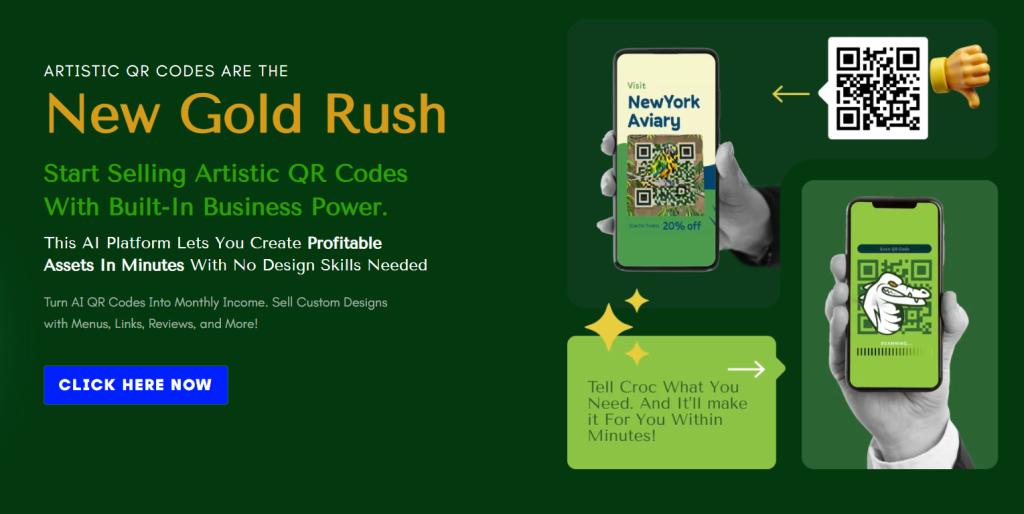
You can turn QR codes into branded, revenue-generating artwork with QR CROC.
What QR CROC Is

QR CROC is an AI-powered platform that converts ordinary QR codes into visually striking, fully scannable artworks while embedding business functionality like menus, payments, vCards, lead capture, and analytics. You get a design-first QR generator plus a set of business tools that let you create sellable assets, manage dynamic links, and build recurring revenue from clients who print and use those codes.
This review explains what QR CROC does, how it works, where it fits in your toolkit, who should use it, and how to sell QR code services built around it.
Review Video

Key Features — At a Glance
- AI-designed, scan-safe QR art with shapes, icons, gradients, and imagery.
- Dozens of QR types: vCards, menus, payment links, social profiles, booking forms, event pages, and more.
- 52+ shapes and artistic styles, color customization, and logo embedding.
- Landing page builder and mobile-optimized link pages.
- Lead capture, scan tracking, analytics, and payment integrations.
- Agency-ready templates, training, and a plan tailored to agencies/resellers.
- Downloadable high-res QR files ready for print or digital use.
Why This Matters for You
You don’t need to be a designer to produce on-brand, professional QR experiences. QR CROC removes the design bottleneck, helps you launch services quickly, and converts an otherwise overlooked asset (a printed QR) into a trackable, updatable revenue stream. Because the codes are dynamic, you can offer maintenance and update packages, turning one-off sales into recurring income.
How QR CROC Works — The 3 Easy Steps (and what each step looks like for you)
1) Tell Croc
You provide the basics: business name, a target URL, and a short description or purpose. The AI uses that data to suggest suitable shapes, color palettes, and art styles that fit the brand voice and intended use.
What you should prepare:
- Brand name and short tagline.
- Target URL or type of QR (menu, vCard, payment link).
- Logo file (optional but recommended).
- Any color preferences or brand hex codes.
2) Pick a Design
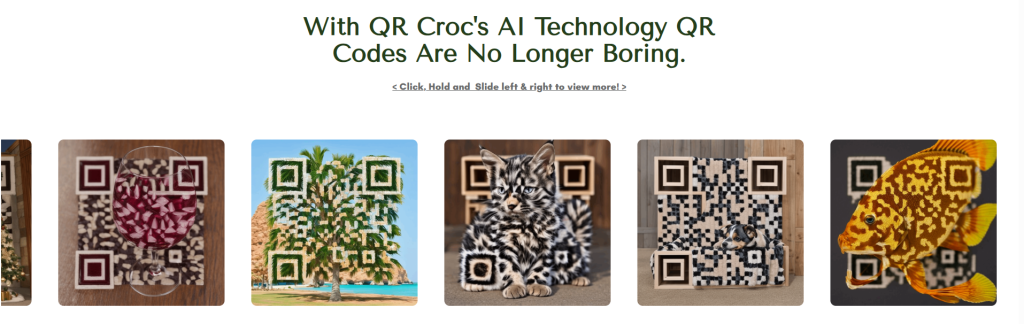
You can choose from curated shapes and artistic styles or let the AI pick a unique design. The generator shows previews and lets you tweak color gradients, icon placement, and the level of “art” around the functional QR pattern while preserving scan safety.
Design controls you’ll use:
- Shapes: circular badges, product silhouettes, mascot shapes, etc.
- Visual styles: minimal, watercolor, neon, geometric, photographic blends.
- Logo placement and size.
- Background and foreground gradient editors.
3) Generate & Deliver
Download high-resolution vector and raster outputs for print and web. Connect business tools like menus, forms, payment processors, and social links into the dynamic landing page. Hand off files to your client or print directly, and track scans and conversions through built-in analytics.
Delivery options:
- SVG, EPS, PNG for print and signage.
- Shareable link to the dynamic landing page.
- Embedded code for websites, or downloadable asset packages for clients.
Design & Customization — How Much Control You Get
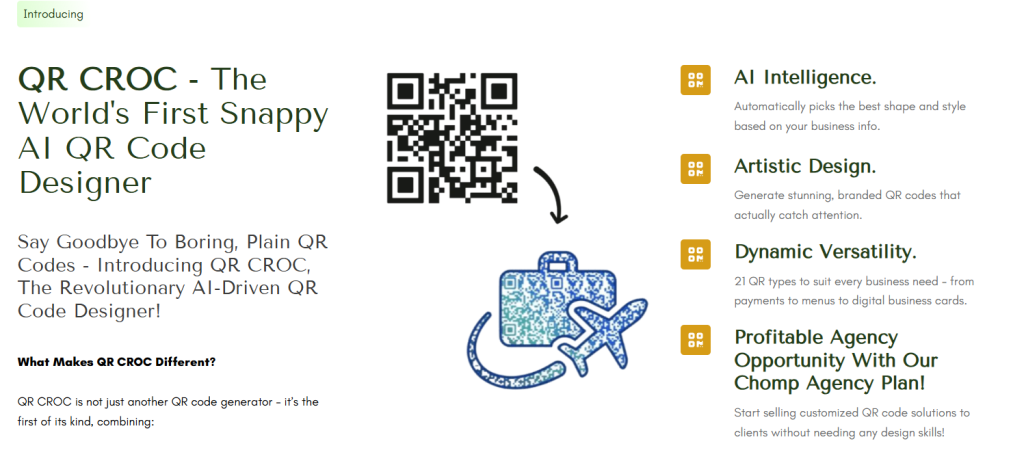
QR CROC combines automated design with granular customization. You can let the AI create a near-finished product in seconds or use the visual editor to make exact brand-aligned decisions.
Customization highlights:
- Color gradients and multi-color fills that remain scan-safe.
- 52+ shapes to match the company or campaign identity.
- Logo embedding with built-in safe-zone checks.
- Iconography and micro-graphics blended into the QR pattern.
- High resolution vector exports for large-format printing.
Because the system enforces scan safety, you don’t need to worry about aesthetics breaking the functional code—QR CROC validates the final code before you download.
Built-in Business and Monetization Tools
The product isn’t just a generator; it’s a full toolkit for converting QR codes into revenue streams and operations.
Included business features:
- Landing page builder: Create mobile-optimized, trackable pages for each QR code.
- Lead capture forms: Collect emails, names, and custom fields directly from scans.
- vCard Plus: Interactive digital business cards that can be updated without changing the printed QR.
- Menu templates: Ready-made, mobile-friendly menus for restaurants and cafés.
- Payment links: Integrate with payment processors to accept digital payments immediately from scans.
- Scan tracking and analytics: See where, when, and how often a code is scanned and what actions users take.
What this lets you do:
- Sell QR projects with value-added services: design, hosting, updates, analytics reports.
- Offer maintenance subscriptions to update landing page content, menus, or links.
- Charge a setup fee plus recurring monthly revenue for hosting and analytics.
Technical Details & Scan Safety
Scan safety and reliability are critical. QR CROC’s AI designs codes with scan integrity in mind, and the platform enforces guards to prevent visual customizations from making a code unreadable.
Technical assurances:
- Built-in scanner validations during the design process.
- Vector outputs for crisp prints at any scale.
- Support for dynamic QR codes (you can change the landing page without reprinting the code).
- Compatibility with standard QR scanners and smartphone cameras.
You should still test printed codes with the target scanner devices you expect end-users to use, especially for large-format signage or printed merchandise under unusual lighting.
Feature Breakdown Table
| Feature | What it does | Why it matters | Best for |
|---|---|---|---|
| AI QR generator | Creates unique, scan-safe QR art | Speeds up design; consistent, professional results | Agencies, small businesses without designers |
| Dynamic QR types | vCard, menu, payment, event, booking links | Change content without reprinting QR | Restaurants, events, retail packaging |
| 52+ shapes & styles | Multiple visual templates and custom shapes | Match brand identity and campaign themes | Retail, real estate, influencers |
| Landing page builder | Mobile-optimized pages per QR | Improves conversion from scan to action | All business types that need trackable interactions |
| Lead capture & payments | Built-in forms and payment integration | Monetize and collect data from scans | Creators, restaurants, services |
| Scan tracking & analytics | View scan counts, locations, actions | Measure ROI and performance | Agencies reporting to clients |
| High-res exports | SVG, EPS, PNG for digital and print | Professional print-ready outputs | Signage, packaging, merchandise |
| Agency tools & templates | Training and white-label options | Quick go-to-market with client-ready materials | Agencies and resellers |
Use Cases — Practical Examples You Can Implement
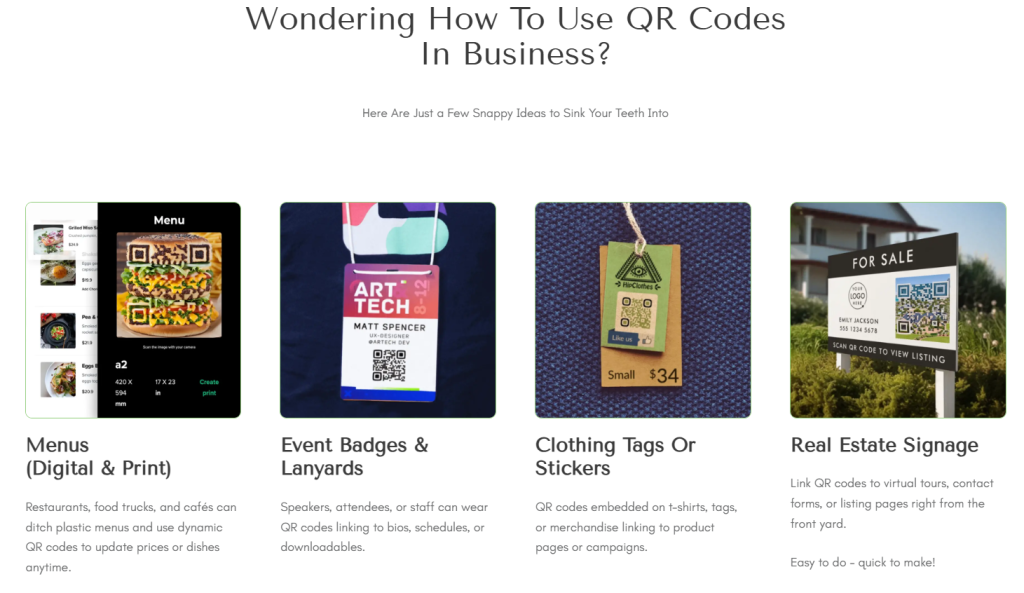
- Restaurants & cafés: Replace paper menus with dynamic menu QR codes that reflect real-time availability, promotions, and upsell items. You can pair QR CROC’s menu templates with payment links for contactless ordering and checkout.
- Retail & product packaging: Add QR art to packaging that links to how-to videos, warranty registration forms, and upsell pages. The artistic code becomes a design element on the package.
- Events & badges: Create QR-coded badges that link to schedules, speaker bios, and VIP pages. Use scanning analytics to understand attendee flow and interest.
- Real estate: Place QR art on signage linking to virtual tours, mortgage calculators, and lead-capture forms so you gather buyer details on first contact.
- Creators & influencers: Make an eye-catching QR profile that links to a promo page, social links, or exclusive content. You can sell printed merchandise or event passes with scannable links.
- Service businesses: Use vCard Plus for interactive business cards that can be updated as contact details or offerings change.
Agency & Reseller Potential — How You Can Make Money
QR CROC is explicitly built to help agencies and resellers package QR services. The recurring revenue model is especially attractive: clients print QR codes and keep them live, which gives you opportunities for ongoing support, analytics reporting, and content updates.
Monetization models you can use:
- One-time design fee for QR artwork + file delivery.
- Monthly maintenance fee for hosting the dynamic landing page and updating content.
- Recurring analytics reports with optimizations and A/B testing.
- Bundled packages (e.g., design + printing coordination + onboarding).
- Licensing or white-labeling the service for larger clients.
Example pricing tiers you might use (illustrative):
- Basic: $49 one-time for QR design + static link and PNG/SVG.
- Standard: $199 setup + $19/month for hosting, dynamic link, and analytics.
- Premium: $399 setup + $49/month for multi-code projects, priority support, and monthly reporting.
Vendors have reported selling projects from $25 up to $588, indicating flexibility to sell both low- and high-ticket offerings.
Getting Started — Workflow for a Client Project
- Client kickoff: Gather brand assets, purpose for the QR code, target URLs, and any integration details (payment processor, reservation system).
- AI brief: Enter the client information into QR CROC and let the AI propose 3–5 design options.
- Client review: Present the selections, gather feedback, and pick a final design.
- Customize landing page: Configure the landing page, forms, or payment links. Add analytics tracking preferences and UTM parameters if you need campaign-level reporting.
- Validate scans: Use multiple phone models and scanners to confirm the code works in real-world scenarios.
- Deliverables: Provide print-ready files (vector and raster) and the dynamic link or embed code.
- Launch & monitor: Monitor scans and conversions. Send a 30/60/90-day report and recommend optimizations.
This workflow lets you standardize delivery, maintain quality control, and charge for each phase of the service.
Analytics and Tracking — How You Measure Success
QR CROC provides scan tracking, location aggregation, and user action reporting (for forms, menu clicks, or payments). You should set clear KPIs before launch so you can quantify success and demonstrate value to clients.
Common KPIs:
- Scan volume per day/week/month.
- Scan-to-action conversion rate (e.g., scans that result in a payment or lead).
- Geographic distribution of scans for location-based campaigns.
- Time-of-day patterns to optimize campaign timing or staffing.
Tips:
- Use UTM parameters on landing page links to integrate QR scans into your wider analytics stack.
- Combine QR CROC data with in-store POS metrics to measure direct sales impact from QR-driven promotions.
Print, Scale, and Real-World Considerations
Even though the design is AI-generated, printing considerations still matter for scan reliability and durability.
Printing tips:
- Always test a printed proof at the intended display size and under expected lighting.
- Use vector files for large signage and embossing applications.
- Ensure contrast: even artistic codes must maintain high contrast between code elements and background.
- Consider weatherproofing and placement to prevent wear that might reduce scanability.
Scaling tips:
- If you produce mass prints, coordinate with the printer to provide color profiles and proofs.
- Use dynamic QR codes when you expect to change landing page content without reprinting.
Strengths (What You’ll Love)
- Fast production: AI drastically reduces design time, so you can create professional assets quickly.
- Scan-safe visual QR art: Combines aesthetics with reliability—no trade-off between form and function.
- Built-in monetization tools: Landing pages, payments, and lead capture let you sell more than a file.
- Agency-friendly: Templates and training let you onboard quickly and scale offerings.
- Recurring revenue opportunities: Dynamic links and hosting provide subscription potential.
- High-res outputs: Vector formats for professional print work.
Weaknesses & Limitations (What You Should Watch For)
- Dependency on platform: Dynamic QR features and hosting tie you to the platform for ongoing functionality—factor hosting into pricing.
- Pricing transparency: If you’re selling, you’ll want clear cost structures and reseller margins; confirm QR CROC’s agency pricing.
- Learning curve for advanced integrations: Payment integration and complex forms may require setup time.
- Print testing still required: Even with scan-safe validation, real-world print conditions can affect scans—test extensively.
- Potential market fatigue: QR usage surged during the pandemic; ensure campaigns are compelling and not repetitive.
Recommendations for Improvement (if you were advising QR CROC)
- Expand native integrations: Add more built-in connectors to CRMs, email marketing platforms, and major payment gateways to reduce manual work.
- Enhanced A/B testing: Allow split testing of different landing page variants to optimize conversion rates directly in platform.
- White-label capabilities: Provide more robust white-label options for agencies to present the service under their own branding.
- Flexible billing and reseller reporting: Improve agency dashboards to track client usage, invoices, and white-label credits.
Pricing & Value Assessment
QR CROC offers high perceived value because it combines design and business features. Even if the core subscription has a cost, the ability to charge setup and subscription fees to clients creates an attractive margin. Use a pricing strategy that covers:
- Time and expertise for client onboarding.
- Hosting fees for dynamic links and analytics.
- Design and file delivery (one-time).
- Ongoing maintenance and content updates (recurring).
When you price projects, consider the client’s lifetime value of a printed QR: a menu code or product packaging QR can drive sales repeatedly, making a maintenance subscription a small price for continued updates and analytics.
Security & Privacy Considerations
- Dynamic landing pages should comply with privacy laws (GDPR, CCPA) if you collect personal data.
- Use secure payment integrations and confirm PCI compliance if storing or routing payments.
- Provide clients with privacy policy templates and cookie notifications if required.
Integrations & API Potential
If you plan to scale, check whether QR CROC offers an API or webhooks to:
- Push scan events into your CRM.
- Sync collected leads to email platforms.
- Automate provisioning of QR codes for large product catalogs.
APIs and webhooks let you automate many tasks and enable advanced reporting across client portfolios.
Tips for Selling QR Art Services
- Package by outcome: Sell by outcome (more leads, contactless payments, menu conversions) rather than just design hours.
- Offer starter bundles: Provide a low-cost entry-level QR pack to get clients comfortable, then upsell analytics and maintenance.
- Show a live demo: Nothing sells better than a working QR code on a phone. Create a portfolio with different verticals.
- Create use-case templates: Have ready-made designs for restaurants, events, packaging, etc., to speed delivery.
- Educate clients on printing & placement: Provide a “print and deploy” checklist to avoid scanability issues.
- Offer A/B testing services: Use scan and conversion data to recommend and implement small changes that improve ROI.
Real-World Example Templates (You Can Use Immediately)
- Restaurant launch kit: Branded QR art + menu page + payment link + staff training for $299 setup + $29/month hosting.
- Retail pack: Product QR for 10 SKUs (batch generation) + landing pages + video embeds + analytics $499 setup + $49/month.
- Event badge bundle: Batch QR codes for 300 attendees linking to schedule + speaker bios + VIP area access $599 setup + $79/month.
These templates provide a fast path to profitable offerings and are easily customizable inside QR CROC.
Frequently Asked Questions (Practical Answers You Can Use)
Q: Will my QR art scan with all phones? A: The platform validates scan safety, but you should test on several common devices and apps. High-contrast and vector files help maintain reliability.
Q: What happens if the platform goes down? A: Dynamic QR codes depend on hosting. You should include contingency clauses in contracts and export static fallback codes if necessary.
Q: Can you change the content behind a printed QR? A: Yes — that’s the power of dynamic QR codes. You can update landing pages, menus, and forms without reprinting.
Q: Are the QR codes searchable or indexable? A: Landing pages can be configured for SEO, but some campaign-specific pages may be better left unindexed depending on your strategy.
Q: Can I white-label the service for clients? A: QR CROC offers agency features and templates; confirm the exact white-labeling scope and co-branding options on your plan.
Practical Checklist Before Delivering a Project
- Confirm brand assets and color codes.
- Test the QR on multiple devices and lighting conditions.
- Export vector files and confirm printer compatibility.
- Set up analytics and UTM tracking.
- Configure privacy notices and opt-ins for lead capture.
- Provide the client with both the downloadable assets and a short user guide for placing/printing the code.
Final Recommendation
If you provide digital marketing, design, or agency services and want to monetize physical-to-digital touchpoints, QR CROC is a highly practical tool. It removes the design complexity of creating attractive, brand-aware QR codes while providing the business features you need to convert those codes into measurable revenue. You get speed, reliability, and a clear path to recurring income through dynamic content, analytics, and hosting.
Use QR CROC if you want to:
- Add a fast, profitable service to your offerings.
- Create high-impact offline-to-online experiences without hiring a designer.
- Build recurring revenue through hosting and updates.
- Deliver professional, print-ready QR assets and measurable results.
Avoid or be cautious if:
- You need deep on-premises control over hosting and prefer self-hosted QR management.
- You require very specific integrations not currently supported (but check API possibilities).
- You have concerns about vendor lock-in — build contractual protections and export paths into client agreements.
You can start small with a few test projects to prove the ROI, then scale into packaged services and agency plans. QR CROC gives you the creative edge and the business tooling to make QR codes a marketable, revenue-generating product for your clients.

Here are my VIP Bonuses That No One Gives (If You Grab The Product From Me Today):
Bonus 1: FaceMorph AI Studio
A powerful visual transformation tool that lets you swap faces in photos, GIFs, and videos with impressive realism. Create unique composites, creative visuals, or engaging social media content with unlimited edits and watermark-free exports.
Bonus 2: VideoMoment Finder AI
An intelligent video discovery tool that helps you locate exact scenes inside YouTube videos using simple text descriptions. Save time by jumping directly to the most relevant moments without manual searching.
Bonus 3: ScanText AI Extractor
An advanced OCR system that extracts text from images, screenshots, and scanned documents with high accuracy. It preserves formatting and works effectively with handwriting and low-quality images.
Bonus 4: MemeForge AI Creator
Transform ordinary photos into eye-catching meme graphics using built-in templates and creative visual effects. Export ready-to-share images designed for social media engagement.
Bonus 5: VectorFlow AI Converter
Convert PNG and JPG images into clean SVG vector graphics instantly. Perfect for logos, illustrations, and branding assets that require scalable high-quality design.
Bonus 6: FaceInsight AI Analyzer
Upload a photo and receive a detailed facial structure breakdown in seconds. Get helpful recommendations for hairstyles, eyewear, and styling based on facial proportions.
Bonus 7: ImageEdit Pro AI Lab
A browser-based editing suite that simplifies tasks like background removal, object cleanup, text replacement, and visual style adjustments without complex software.
Bonus 8: NaturalWrite AI Refiner
Analyze written content and detect patterns that sound artificial. Improve tone, readability, and authenticity to produce natural and engaging writing.
Bonus 9: VoiceCast AI Studio
Create podcasts, audiobooks, and voiceovers using advanced AI narration technology. Produce expressive speech with natural tone shifts and multilingual voice options.
Bonus 10: VideoClean Pro Editor
Remove logos, watermarks, and unwanted objects from videos using intelligent reconstruction technology to maintain a smooth and professional visual result.
Bonus 11: VideoBackground Replace AI
Replace video backgrounds instantly without a green screen. Insert custom images, colors, or scenes to create clean studio-style visuals.
Bonus 12: ImageBoost AI Enhancer
Upgrade image resolution up to ultra-high quality with intelligent sharpening and blur correction while preserving natural textures and colors.
Bonus 13: RapidLanding AI Builder
Create high-converting landing pages within seconds using automated layouts that are responsive, SEO-ready, and easy to launch without coding.
Bonus 14: FunnelPage Creator AI
Generate professional marketing pages instantly with AI-driven layout generation and mobile optimization for faster campaign deployment.
Bonus 15: ComicStudio AI Creator
Design illustrated characters, comic panels, and creative scenes with full style control. Generate poses, dialogue layouts, and color themes effortlessly.
Bonus 16: VoiceDub Global AI
Translate and dub videos into multiple languages using realistic voice replication with synchronized speech timing.
Bonus 17: ImageTranslate AI Reader
Detect and translate text directly from photos, screenshots, and scanned documents to quickly understand visual content across languages.
Bonus 18: GrammarGuard AI Editor
Automatically correct grammar, spelling, and punctuation to improve clarity and professionalism in emails, articles, and written communication.
Bonus 19: RewriteFlow AI Assistant
Rewrite sentences and paragraphs to improve tone, clarity, and readability while offering different writing style options.
Bonus 20: VideoSize Optimizer Pro
Reduce video file sizes quickly while maintaining visual quality. Supports multiple formats and ensures faster uploads and sharing.
Bonus 21: ColorPage Creator AI
Generate printable coloring pages from simple prompts or images. Ideal for educators, designers, and digital product creators.
Bonus 22: FaceBlend AI Studio
Create realistic face swaps for both photos and videos with smooth blending and detailed rendering.
Bonus 23: LipSync Motion AI
Synchronize voice audio with lip movements in videos or images to produce natural talking visuals for presentations and marketing content.
Bonus 24: FontCraft AI Designer
Generate custom fonts, digital signatures, and calligraphy styles within seconds using simple text prompts.
Bonus 25: ClearCut Background AI
Remove backgrounds from images instantly and export clean transparent PNG files with accurate edge detection.
Bonus 26: VoiceLite AI Narrator
Convert text into natural voice audio directly from your browser without installing heavy software.
Bonus 27: VisualEdit AI Suite
A comprehensive editing toolkit for both photos and videos that allows you to enhance visuals, retouch details, and apply creative effects.
Bonus 28: AudioForge AI Composer
Create custom soundtracks for videos using an intelligent audio generation engine that adjusts mood, rhythm, and layers.
Bonus 29: SmartDoc AI Reader
Analyze PDF documents and receive clear explanations, extracted text, and structured summaries instantly.
Bonus 30: QuickInsight AI Summarizer
Turn lengthy documents, articles, and reports into concise summaries and key insights within seconds.
Bonus 31: CreatorHub AI Toolkit
A collection of AI-powered tools that generate content, images, logos, blog topics, quizzes, and video descriptions from one dashboard.
Bonus 32: HarmonyGen AI Composer
Create complete music tracks from prompts or lyrics. Choose genres and adjust style to produce fully arranged compositions.
Bonus 33: UtilityPro Digital Toolkit
An all-in-one toolkit with more than 20 utilities for converting, compressing, editing, and managing files such as PDFs, images, and videos.
Bonus 34: TextFlow AI Editor
Refine AI-generated content into smooth, natural writing while improving clarity, tone, and credibility.
Bonus 35: VisualStock AI Library
Access a large collection of AI-generated images organized by theme and style for quick download and use in creative projects.
Bonus 36: ImageCreator AI Studio
Generate detailed visual assets from simple prompts using an intuitive AI image generator suitable for design and marketing work.
Bonus 37: SiteForge AI Builder
Create complete websites or web applications from a single prompt with responsive layouts and built-in SEO foundations.
Bonus 38: OpenAI Creative Workspace
A flexible AI environment that supports image generation, coding assistance, and online research in one streamlined platform.
How To Claim Bonuses: Please send an email to [email protected] and We will send all bonuses within 12 hours.
