
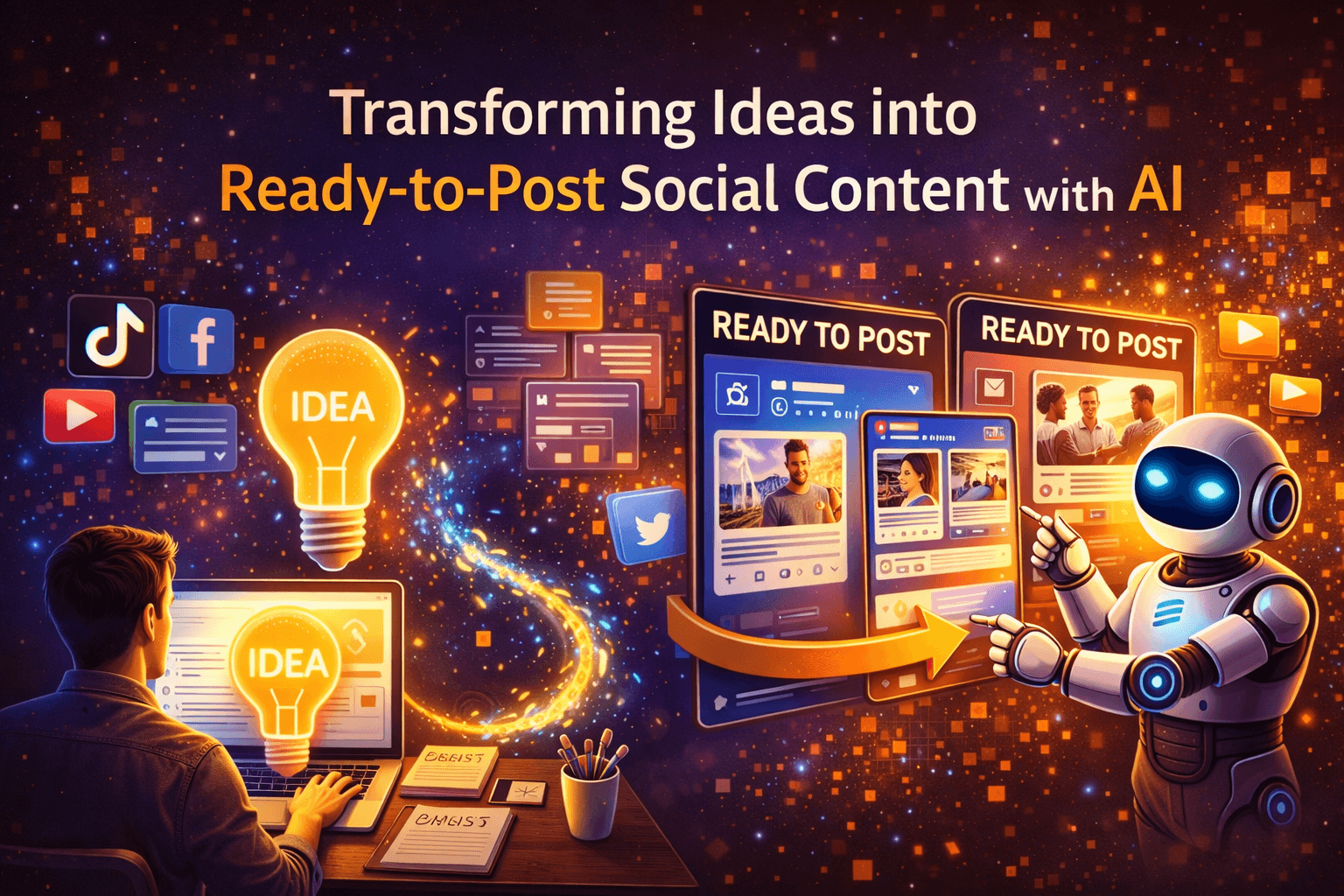
Have you ever wished you could snap your marketing idea and have a set of ready-to-post social assets appear moments later?
Transforming Marketing Ideas into Ready-to-Post Social Content with AI
This article explains how AI helps you turn marketing ideas into polished, platform-ready social content. You’ll get a clear process, practical prompts, tool recommendations, and step-by-step examples so you can produce consistent, on-brand posts faster and more reliably.
Why turning ideas into ready-to-post content matters
You need to move from concept to execution quickly to keep up with trends and audience attention spans. When you can generate ready-to-post content from a single idea, you reduce time-to-publish, improve consistency, and scale your content output without a proportional increase in team size.
How AI changes content creation for social media
AI automates repetitive tasks, accelerates ideation, and offers creative variations that you can refine. Instead of starting from a blank page, you give the AI a direction and then guide, edit, and brand the outputs so they match your goals and voice.
Major AI capabilities that help you
AI brings multiple features that are directly useful for social content. Each capability addresses a step in the content pipeline, from idea capture to analytics.
Ideation and headline generation
AI gives you multiple headline, hook, and caption options from a single brief idea. You’ll get variations that suit different tones and platforms so you can pick the best fit.
Drafting long and short copy
Whether you need a tweet, a LinkedIn article, or a carousel caption, AI can generate copy at different lengths and formats instantly. You can then edit for nuance, brand voice, and factual accuracy.
Visual generation and editing
Generative image and video models let you create visuals, thumbnails, and short clips based on prompts or your existing assets. You’ll save design time and get a fast iteration loop.
Repurposing and formatting
AI can reformat a single piece of content into multiple platform-specific versions—captions, threads, carousels, short transcripts—so you don’t need to rewrite from scratch.
Personalization and targeting
AI helps tailor messages to audience segments by altering tone, complexity, and calls to action depending on demographics or interests. You can maintain relevance at scale.
Scheduling and automation
AI integrates with scheduling platforms to recommend optimal posting times, assemble content calendars, and auto-publish at scale. You’ll free up manual scheduling work.
Analytics and optimization
AI analyzes engagement patterns to recommend content improvements and test ideas, helping you iterate toward higher-performing posts.
A step-by-step process to transform ideas into ready-to-post social content
Below is a practical workflow you can follow each time you have a marketing idea. The process ensures quality while leveraging AI for speed.
1. Capture the idea and define the objective
Write down the core idea and the objective: awareness, leads, sales, education, or community. Being explicit about the goal helps AI produce tailored outputs that align with desired action.
2. Choose target audience and platforms
Specify who you’re speaking to and which platforms you’ll post on. Different platforms require different formats, length, and tone, so clarity here saves time downstream.
3. Define the core message and CTAs
Summarize the single key message in one sentence and list primary and secondary calls to action. This anchors every variant the AI produces.
4. Select content formats
Decide whether you need a static post, carousel, short video, thread, story, or pin. AI will produce format-appropriate copy and suggestions for visuals and editing.
5. Generate initial drafts with AI
Use AI to create several versions of captions, hooks, and creative briefs for visuals. Ask for tone variations and lengths for each platform.
6. Refine, brand, and localize
Edit generated drafts to match your brand voice, add brand terminology, and localize for region or language if needed. Always verify facts and claims.
7. Produce visuals and assets
Create images, motion graphics, or short videos using generative tools or templates. Generate multiple variants and select the ones that align with your brand guidelines.
8. Assemble posting packages
Combine copy, visuals, alt text, hashtags, and timestamps into ready-to-upload folders or scheduling platform entries. You’ll reduce friction when it’s time to publish.
9. Schedule, publish, and monitor
Use scheduling tools to publish or post manually. Monitor early engagement and be ready to react with edits or community replies.
10. Measure, learn, and iterate
Analyze performance against KPIs, refine prompts and templates, and re-run the workflow for improved outcomes. AI can help identify themes and recommend optimizations.
Prompt templates you can use right away
Prompts are how you instruct AI. Use clear, specific prompts that include audience, tone, platform, length, and required assets. The table below gives examples you can adapt.

| Use case | Prompt example | Expected output |
|---|---|---|
| Instagram post (brand awareness) | “Write an Instagram caption for a sustainable apparel brand targeting 25–35-year-old urban professionals. Tone: friendly, informative. Goal: encourage signups for a 20% off launch. Include one hook sentence, 2-3 body sentences, CTA, and 5 relevant hashtags.” | Caption with hook, short body, CTA, and 5 hashtags |
| TikTok short script | “Create a 30-second TikTok script showcasing a product demo for busy parents. Tone: playful and quick. Include visual cues, a hook in first 3 seconds, and a call to action.” | 30s script with beat-by-beat actions and spoken lines |
| LinkedIn thought leadership | “Draft a LinkedIn post for a B2B SaaS founder about the impact of automation on customer success. Tone: professional, reflective. Target: decision-makers. Length: 200–300 words. Include one short anecdote and a question to encourage comments.” | Longer, reflective post with anecdote and engagement question |
| Twitter/X thread | “Create a 6-tweet thread explaining a new feature release for developers. Use clear technical examples, brief code snippet, and a short summary CTA.” | 6 concise tweets forming a narrative with a CTA |
| Pinterest pin description | “Write a Pinterest pin description for a home office makeover board with SEO-friendly keywords and 2 CTAs.” | SEO-optimized description with CTAs and keywords |
| Alt text for image | “Describe an image showing a woman installing a standing desk in a bright home office. Use 1–2 sentences, include important visual details, and mention accessibility context.” | Clear, descriptive alt text ready for upload |
Platform-specific guidance and examples
Each social platform has preferred content styles. Use the guidance below to tailor AI outputs.
Instagram feed and carousels
You’ll rely on strong visuals and succinct captions. Use carousels to tell sequential stories or explain steps. Ask AI to create carousel copy with slide-by-slide blurbs and a final CTA.
Instagram Reels and TikTok
Short, high-energy videos with strong hooks work best. Use AI to draft scripts with visual cues, suggested shots, and editing beats. Add music suggestions and caption text to maximize success.
Twitter/X
Short, punchy, and timely posts perform well here. Use AI to create hooks, polls, or threads, and to craft memorable one-liners and link teasers.
Longer form content, professional insights, and stories perform well. Use AI to generate thoughtful posts, micro-articles, and long-form repurposed content from webinars or reports.
Pin descriptions and keywords matter for discovery. Use AI to produce SEO-friendly descriptions and titles tailored to search intent.
A mix of text, video, and community-oriented posts works here. Use AI to tailor posts for engagement, group discussions, and event promotion.
Visual asset generation best practices
Creating visuals with AI is fast but requires guiding principles for quality and consistency.
Aspect ratios and composition
Specify the correct aspect ratio per platform (1:1 for Instagram feed, 9:16 for Reels/TikTok, 4:5 also common). You’ll get visuals that won’t get awkwardly cropped.
Color and brand consistency
Define brand colors, fonts, and mood. In prompts, mention these specifics and provide hex codes when possible so generated visuals align with your identity.
Text overlays and readability
Keep overlay text short and high-contrast. Use AI to suggest headline text and placement recommendations that will remain legible on small screens.
Image prompts and variations
Ask AI for 4–6 variations so you can pick the best composition. Slightly vary camera angles, backgrounds, and expressions to avoid repetitive feeds.
Video storyboards
Request shot lists, timing, and voiceover scripts. AI can create storyboards that make production and editing straightforward.
Examples: prompts for visual generation
| Asset | Prompt example |
|---|---|
| Instagram image | “Generate an image of a young professional wearing a sustainable linen blazer in a sunny cafe. Style: natural light, warm tones, shallow depth of field. Brand colors: #1E90FF and #F7C6C7. Composition: subject right of frame, space for left-side text overlay.” |
| Reel thumbnail | “Create a bold thumbnail with big text ‘3 Tips to Boost Focus’ over a blurred office background. Colors: brand blues. Add a subtle logo in the bottom-right corner.” |
| Short product video | “Storyboard a 15-second vertical product demo for a smart water bottle: 0–3s hook (close-up of bottle), 3–8s feature demo (temperature display), 8–12s benefit (user on a run), 12–15s CTA with app shot.” |
Brand voice, legal, and accessibility considerations
AI-generated content must adhere to your brand standards and legal requirements. You’ll also ensure content reaches the widest audience.
Maintaining brand voice
Create a style guide with sample phrases, forbidden words, and tone descriptors. Feed this guide into prompts so AI keeps consistent voice across platforms.
Compliance and fact-checking
Verify all claims, statistics, and endorsements. AI can hallucinate plausible but incorrect facts—always cross-check and cite sources where required.
Accessibility (captions and alt text)
Generate accessible captions, include captions for videos, and write comprehensive alt text for images. This increases reach and improves user experience for people using assistive tech.
Copyright and usage rights
Ensure images and music generated or selected are cleared for commercial use. If you use model outputs from third-party providers, confirm licensing terms align with your use case.
Automating workflows and integrations
You can connect AI tools to production and publishing workflows for a seamless pipeline. Automation reduces manual handoffs and speeds time-to-publish.
Common automation flow
Idea capture (form, chat) → AI generation (copy + visuals) → Human review (editor) → Scheduling platform (Buffer/Hootsuite/Later) → Publish → Analytics.
Tools you can use
Use integration platforms like Zapier or Make, APIs from AI providers, and scheduling tools. These let you trigger content generation on idea submission and automatically queue reviewed posts for publishing.
| Trigger | Action |
|---|---|
| New idea submitted in form | Send idea to AI for caption + visuals generation |
| Draft approved by editor | Automatically upload to scheduling tool in publish-ready folder |
| Post published | Fetch engagement metrics and create weekly performance report |
Measuring performance and optimizing with AI
AI can help you understand what works and recommend optimizations.
Key metrics by objective
- Awareness: impressions, reach, follower growth
- Engagement: likes, comments, shares, saves
- Conversion: clicks, CTR, sign-ups, purchases
- Retention: repeat engagement, time spent on content
Using AI for analysis
Use AI to surface patterns, like which hooks or visual styles perform best by segmenting historical data. Ask the AI to summarize performance in plain language and propose three changes you can test.
A/B testing and experimentation
Design controlled experiments where AI generates two or more variants. Test headlines, hooks, visual styles, and CTAs. Use statistically significant sample sizes and let AI help prioritize which tests will yield the most learnings.
Common challenges and how to solve them
Even with AI, challenges exist. Here are common issues and practical fixes so you maintain quality and creativity.
Hallucinations and inaccuracies
Problem: AI fabricates facts, details, or quotes. Fix: Always instruct AI to be factual; include source checks and add a mandatory human verification step before publishing.
Repetitive or generic creative
Problem: Outputs become formulaic. Fix: Encourage creativity by requesting unusual metaphors, contrasting perspectives, or cultural references; fine-tune models on your best-performing in-house examples.
Brand tone drift
Problem: Generated content doesn’t match brand voice. Fix: Provide concrete style guides, examples, and a list of allowed/forbidden words. Use prompts that ask AI to “match this voice” and include exemplar sentences.
Legal and copyright concerns
Problem: Generated visuals or copy infringe rights or use copyrighted likenesses. Fix: Use licensed assets, restrict prompts to original scenes or generic models, and confirm provider licensing for commercial use.
End-to-end example: turning one idea into multi-platform posts
Idea: A limited-time spring collection launch for a sustainable apparel brand. Objective: drive website visits and signups for a launch discount.
Core brief you give the AI
Audience: Eco-conscious women aged 25–40 who value style and sustainability. Message: New spring collection made from recycled fabrics; comfortable, stylish, and climate-friendly. CTA: Shop the launch and sign up for 20% off. Platforms: Instagram (carousel + Reel), TikTok, LinkedIn, Twitter/X, Pinterest.
Outputs (condensed examples)
Instagram carousel
- Slide 1 (cover): “Spring Reimagined — New Sustainable Pieces”
- Slide 2: “Made from 100% recycled fibers” (short explanation)
- Slide 3: “Tailored for comfort — breathable, washable”
- Slide 4: “Styling tips for three looks”
- Slide 5: “Sign up now for 20% off — link in bio”
Caption: Hook, 2–3 supporting lines, CTA, 8 relevant hashtags, alt text describing the cover image.
Reel (15s)
- 0–2s: fast hook montage of 3 outfits
- 3–9s: quick product closeups and fabric touch shots (text overlay: “Recycled. Comfortable. Designed for you.”)
- 10–13s: model showing fit while walking outside
- 14–15s: CTA: “Sign up for 20% off — link in bio” with brand logo Include suggested music track style and thumbnail prompt.
TikTok (30s)
- Hook: “Want style that doesn’t cost the planet?”
- Middle: quick styling transitions and behind-the-scenes of fabric sourcing
- CTA: “Drop your favorite look in the comments and get 20% off when you sign up.”
LinkedIn post (200–250 words)
- Begin with a short founder anecdote about deciding to use recycled fabrics.
- Explain the supply-chain choices and the measurable impact (statements to verify).
- Invite business partners and sustainability-minded readers to learn more, with a link to the launch signup.
Twitter/X thread (4 tweets)
- Launch announcement hook
- Quick sustainability stat (verified)
- Product highlight
- CTA with link and brand hashtag
Pinterest pin
- Image: styled flatlay of a key outfit
- Description: SEO-friendly description with keywords like “sustainable spring outfit,” “recycled fabric fashion,” and CTA to pin and shop.
Alt text for IG cover
- “Three spring outfits in pastel tones on models in a sunlit urban courtyard, highlighting lightweight recycled fabric textures.”
Visual prompts for image generation
- “Create a bright outdoor photoshoot of three models wearing pastel sustainable outfits, natural light, candid movement, brand colors #1E90FF and #F7C6C7, space for left-side text overlay.”
You would ask AI to create these drafts, then review, edit, and produce final image variants. Package the caption, alt text, hashtags, and visual files into a scheduling tool.
Ethical and disclosure considerations
Be transparent when appropriate about the use of AI in content creation, especially for editorial or news-related claims. Ensure personal data used to personalize content complies with data protection rules and user consent. If AI materially shaped content, some platforms or industries may require disclosure.
Getting started checklist
| Step | What to do | Time estimate |
|---|---|---|
| Create a brief style guide | Document tone, brand phrases, forbidden words, hex colors | 2–4 hours |
| Select your core AI tools | Choose generation and scheduling tools and test prompts | 1–2 days |
| Build prompt templates | Create templates for each platform and asset type | 4–8 hours |
| Run pilot campaign | Generate and publish 5–10 posts, measure results | 1–2 weeks |
| Iterate and scale | Refine prompts and workflows based on performance | Ongoing |
Final tips for consistent, high-quality results
- Always start with a clear objective and brief; AI is most effective with direction.
- Treat AI as a collaborator: you supply strategy and judgment, AI supplies volume and variation.
- Keep a human review step for facts, compliance, and tone.
- Maintain a library of high-performing prompts and assets to reuse.
- Use small, rapid A/B tests to validate AI-generated hypotheses.
Conclusion
You can transform single marketing ideas into fully fleshed-out, ready-to-post social content by using AI to accelerate ideation, drafting, and asset creation. When you create clear briefs, enforce brand rules, and implement human checks, AI becomes a reliable tool to increase output and maintain quality. Start small with documented prompts and a pilot set of posts; you’ll quickly discover which parts of your workflow benefit most from automation and which need human creativity and oversight.
